

AVAYA DOCUMENTATION CENTER
Find answers to your technical questions and learn how to use our products
Upgrading Avaya Aura® Application Enablement Services
Obtaining existing VMware details
Obtain the configuration details of VMware and use them for ASP R6.0.x (KVM on RHEL 8.10) or ASP R7.0.x (KVM on RHEL 9.6).
For module-specific details, see Obtaining existing network details.
Use this procedure to obtain the network IP interface details.
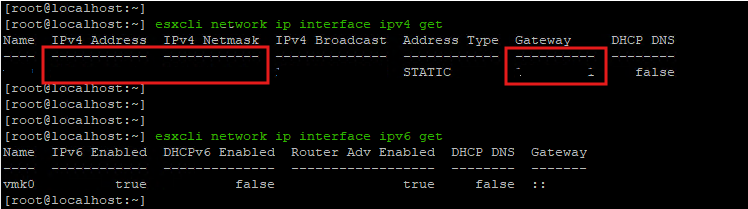
- Log in to ESXi CLI, run the following commands:
ADDITIONAL INFORMATION:
-
# esxcli network ip interface ipv4 get: note down IPv4 network IP interface details.
-
# esxcli network ip interface ipv6 get: note down IPv6 network IP interface details.
-
- Login to ESXi vSphere or vCenter and note down the VMware License serial number.