AVAYA DOCUMENTATION CENTER
Find answers to your technical questions and learn how to use our products
Configuring Avaya Breeze® platform with an Independent System Manager
Enabling and configuring digit relay settings
About this task
Note:
Controlling applications typically override AAMS configuration using templates and template control modifiers. Digit relay configuration changes and preferences must be configured first on the controlling application and not on Avaya Aura® MS. See documentation for the controlling application to determine if any Avaya Aura® MS changes are required.
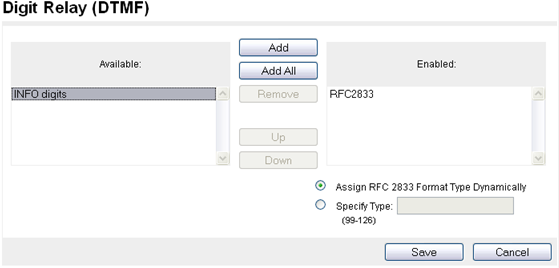
Avaya Aura® MS uses digit relay settings and the order of the enabled relay methods when negotiating digit relay with a client endpoint. These settings apply for inbound or outbound sessions.
Avaya Aura® MS also supports in-band DTMF. The system defaults to this option if no other option is configured or negotiated by Avaya Aura® MS. The preferred method of digit transmission is RFC 2833.
Perform the following procedure to enable and configure the digit relay support on Avaya Aura® MS.
Procedure
- Navigate to .