AVAYA DOCUMENTATION CENTER
Find answers to your technical questions and learn how to use our products
Avaya Experience Portal Overview and Specification
Local Experience Portal redundancy
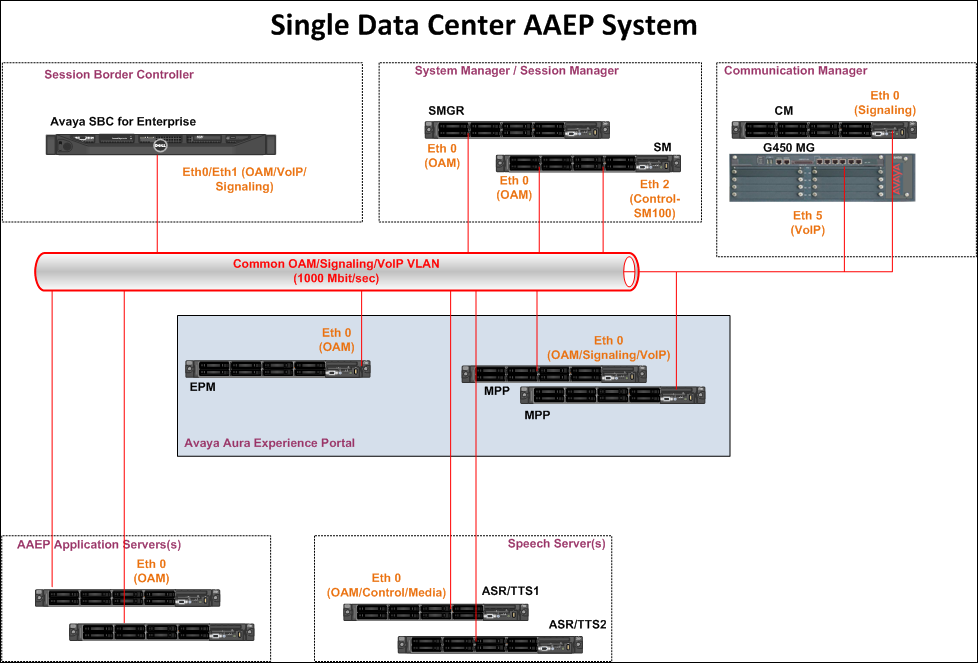
To ensure that the local Experience Portal setup has redundancy for all server components, you must implement additional hardware while configuring Experience Portal. Install a load balancer and additional application servers to provide redundancy for the application server. Ensure that the load balancer is also redundant.
To achieve this redundancy, you must install a highly available solution that utilizes a virtual IP address.
To provide redundancy for the speech servers, install additional speech servers.
The objective is to provide redundancy when a hardware failure occurs.
Experience Portal redundancy does not provide redundancy in the event of a network infrastructure failure.