

AVAYA DOCUMENTATION CENTER
Find answers to your technical questions and learn how to use our products
Installing IP Office SoftConsole
Installing console software
Before you begin
-
Ensure that you have met the prerequisites.
-
Log on using an account with administrator rights and check whether IP Office SoftConsole is already installed. If already installed and the version is pre-9.1, it must be removed before proceeding any further.
- Start the console installer by right-clicking on it and selecting Run as administrator.
ADDITIONAL INFORMATION:
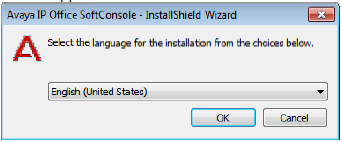
- On the setup language window, select the language for the installation and click OK.
STEP RESULT:The Preparing Setup screen appears for a moment and then the Welcome window appears.
- On the Welcome window, click Next.
- Accept the terms of the license and click Next.
STEP RESULT:The Destination Folder window appears.
- Leave the directory setting at default unless absolutely necessary.
ADDITIONAL INFORMATION:
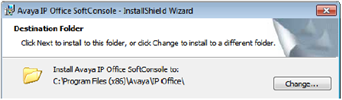
- Click Next.
- Click Install.
ADDITIONAL INFORMATION:
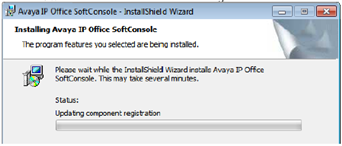 STEP RESULT:The software installation begins.
 - When software installation has completed, click Finish.
Next steps
Set the software to run with administrator privileges.