AVAYA DOCUMENTATION CENTER
Find answers to your technical questions and learn how to use our products
Deploying Avaya Session Border Controller on Microsoft® Azure
Uploading the VHD file
About this task
To use the VHD file as a VM image, you must upload it into a page blob
storage type container on your Azure storage account. You can upload the VHD file using the Azure Storage Explorer. For more information about page blobs
, see the following website:
https://docs.microsoft.com/en-us/azure/storage/blobs/storage-blob-pageblob-overview?tabs=dotnet
Before you begin
Create the storage account and blob container in the Azure Portal, or use the Azure CLI or PowerShell user interfaces.
Procedure
- Use one of the following commands to upload and convert the VHD file:
ConvertTo-MvmcAzureVirtualHardDisk
AzCopy
For example:
azcopy cp PathToVHDfile "https://storageaccount.blob.core.windows.net/container?sas" --blob-type PageBlob
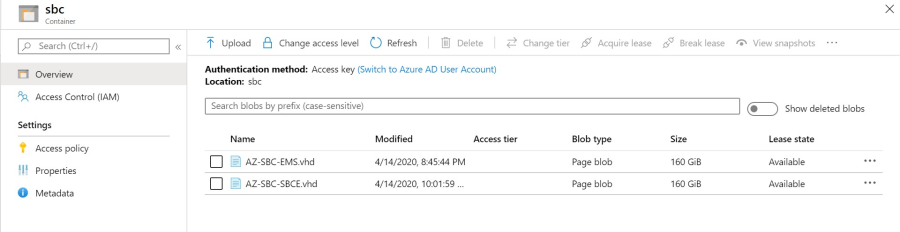
The upload program uploads the VHD file and converts it into the proper format. You can view the file in your Azure storage account. See the following example: