

AVAYA DOCUMENTATION CENTER
Find answers to your technical questions and learn how to use our products
Using ODBC and JDBC with Avaya Call Management System
Client trace
The Windows ODBC Data Source Administrator (64-bit) configuration utility, located in the Windows Control Panel under Administrative tools, allows you to enable or disable ODBC trace logging under the Tracing tab.
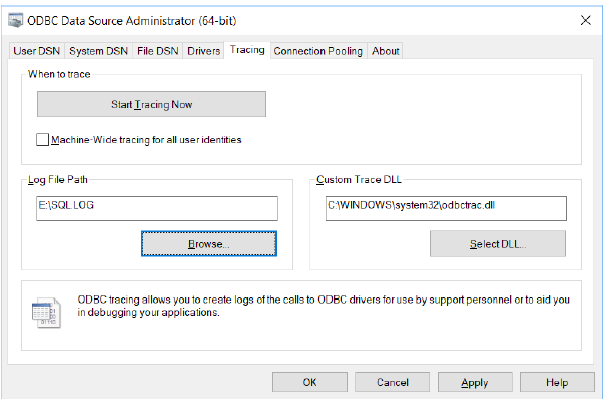
Trace logging provides you with:
-
Records of your entire ODBC session, including all ODBC calls made by the ODBC-compliant application you are using.
-
Native database error messages that might not have been replaced by the ODBC-compliant application you were using.
-
See: Configuring ODBC tracing options for more information on configuring this utility.