

AVAYA DOCUMENTATION CENTER
Find answers to your technical questions and learn how to use our products
Using 1608/1616 Phones on IP Office
1608 Telephone
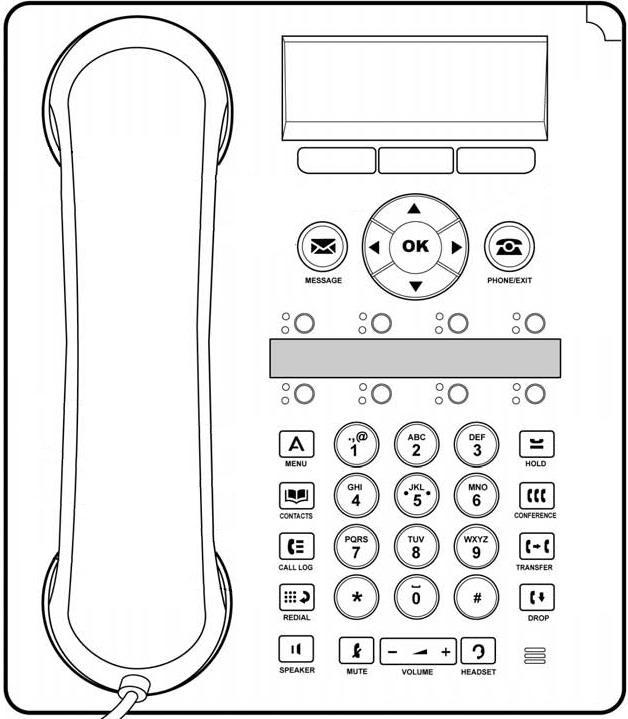
The diagram below shows the main features of a 1608 phone.
-
This phone has 8 programmable buttons.
-
By default the first 3 buttons are used as call appearance buttons for calls you make and receive. Your system administrator can configure additional appearance buttons. See Appearance Buttons.
-
Any button not configured as appearance buttons can be configured for a range of telephone system features. These are called feature buttons. Your system administrator can do this or, for a limited number of functions, you can do this using the phones self-administration menu. See Programmable Feature Buttons.
-
-
The phone includes a headset socket for connection of phone headsets.
-
The phone includes a handsfree speaker and microphone for operation as a handsfree speakerphone. The speaker is located under the handset. The microphone is located at the bottom right of the keypad.
-
The phone includes an integral stand that can be flipped to either of two positions without needing any tools. When used in the upright position, a plastic peg in the earpiece rest area for the handset can be reversed if a more secure grip on the handset when not in use is required.