AVAYA DOCUMENTATION CENTER
Find answers to your technical questions and learn how to use our products
Installing, Maintaining, and Troubleshooting Avaya Solutions Platform S8300
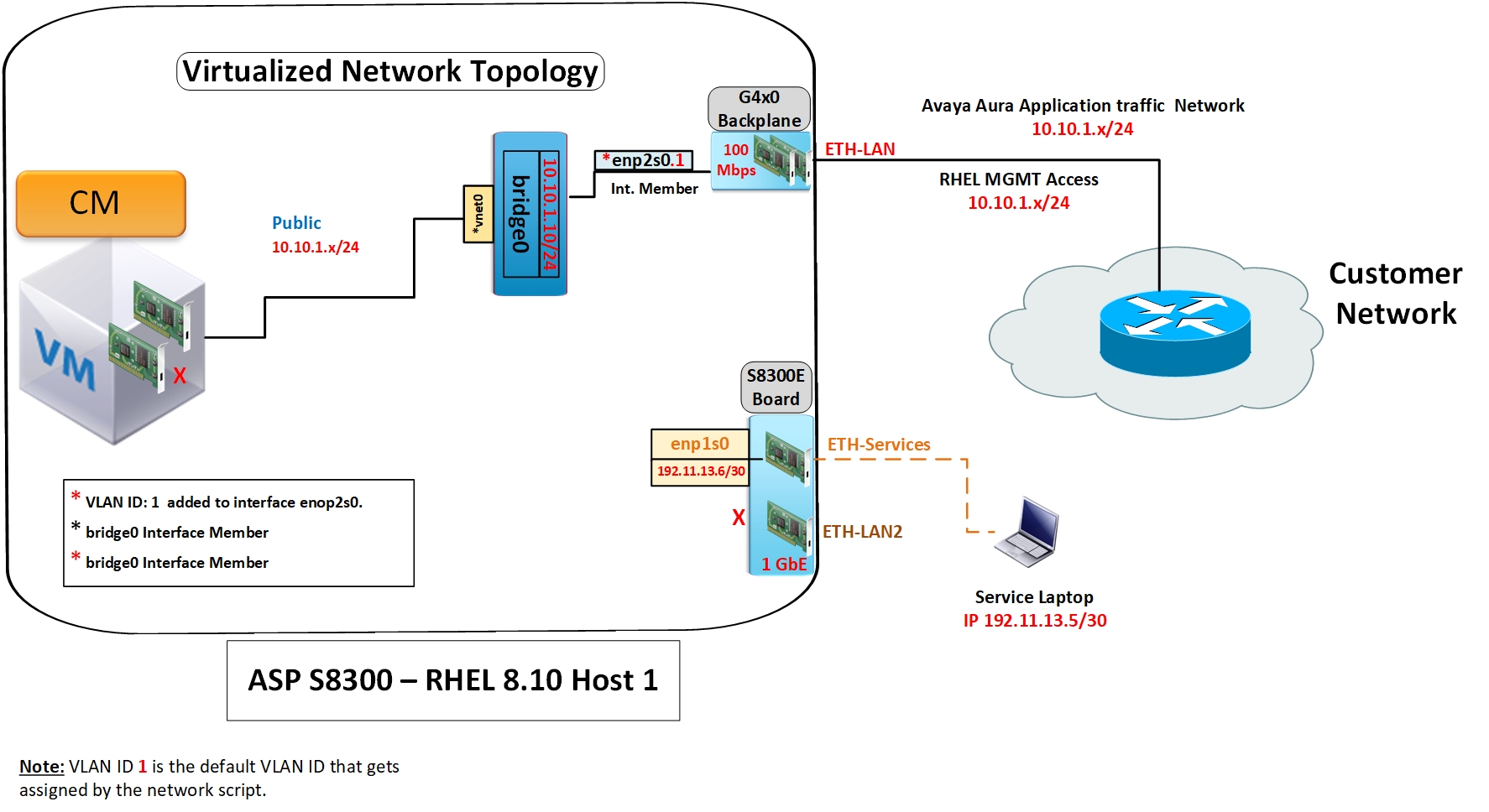
S8300E topology
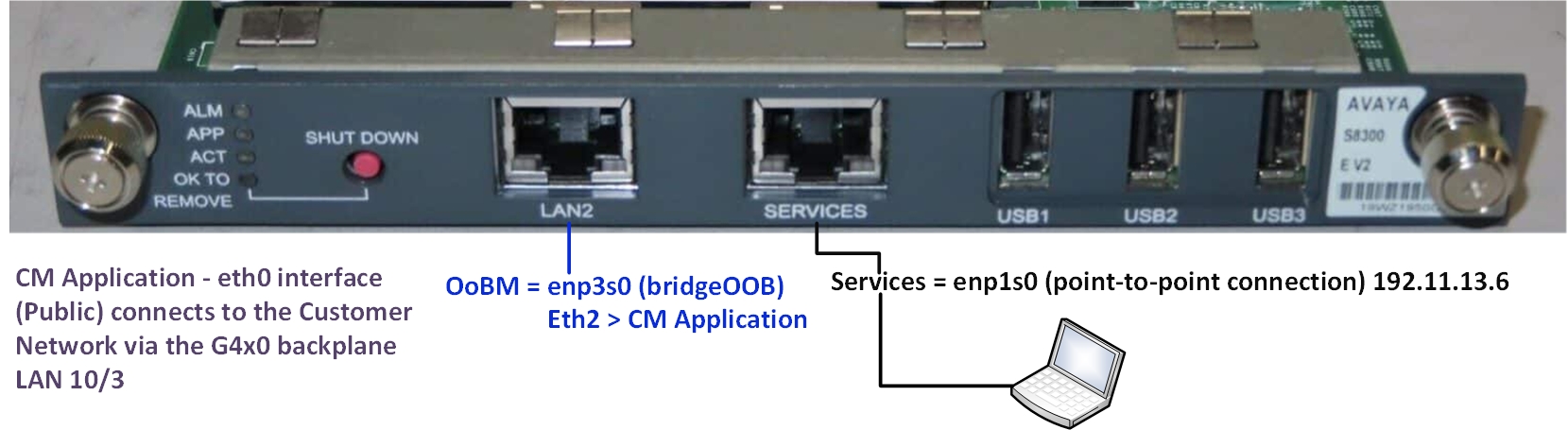
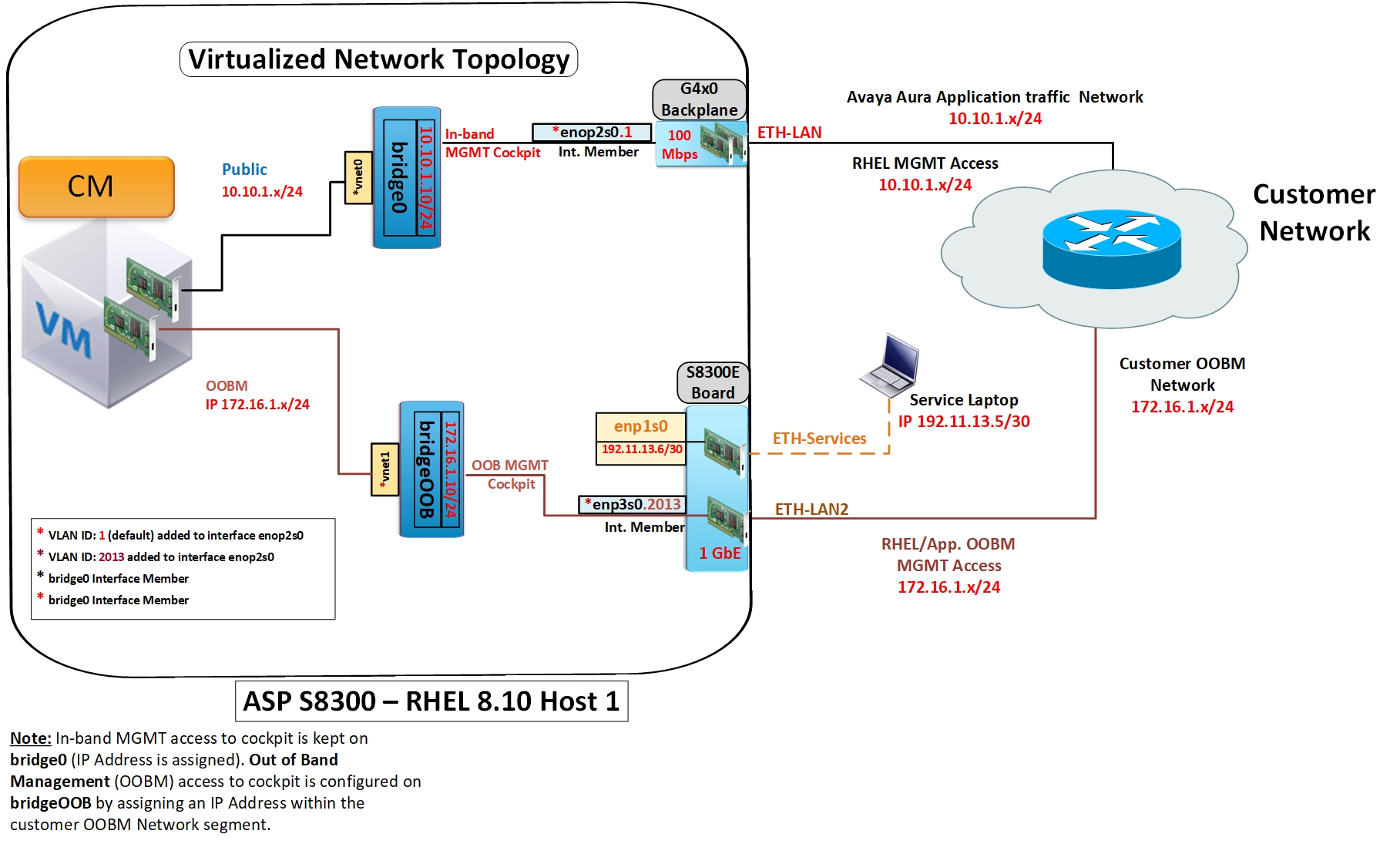
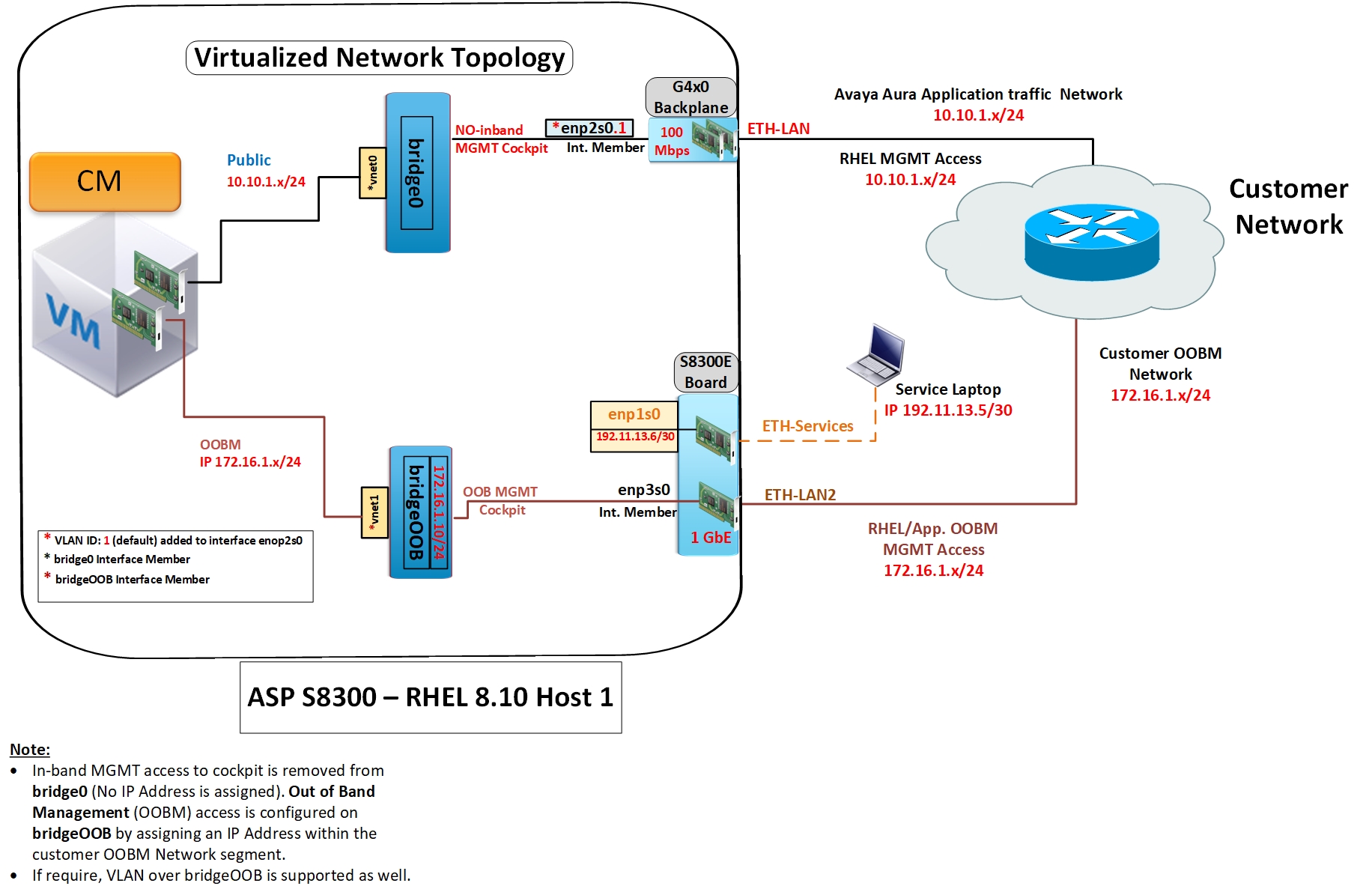
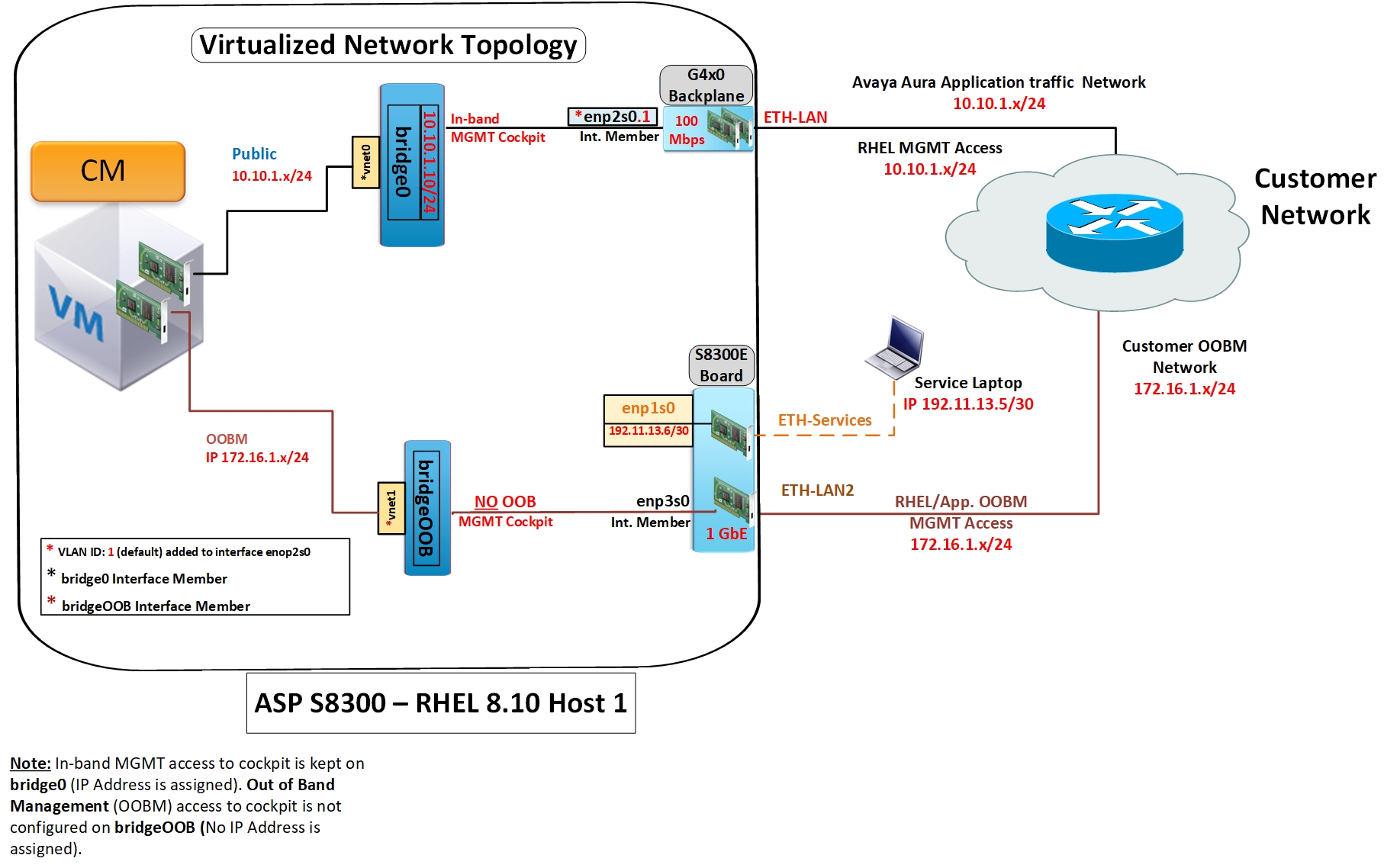
On S8300E, the public network of virtual machines (VM Network) is assigned to enp2s0 and the enp2s0 is connected through the G4x0 gateway backplane. The internal connection to the G4X0 backplane is limited to 100Mbps. The LAN port on the G4x0 Gateway is assigned to the public interface of the virtual machines. The management interface of the hypervisor (Management Network) is also assigned to bridge0/enp2s0 and this is connected through the backplane of the G4x0 similar to the VM network. The services port is assigned to enp1s0 and is directly associated with the services port on the front of the S8300E.
Note:
There will not be any bridge/virtual switch configuration associated with the services port. If OOBM is enabled, the LAN 2 port is utilized and is assigned to enp3s0.
The default vlan id is “1” in the bridge0 (enp2s0.<vlan#”) in the table below. The vlan ID number on the G4X0 must always match the vlan ID number on the S8300.
The Connection Profile Name is displayed when the nmcli connection shell command is executed. The Connection Profile Name does not appear in the Cockpit UI. The Device Name is displayed in the Cockpit UI.
Connection profile name |
S8300 device name |
Notes |
|---|---|---|
Mgt_VM_Network |
bridge0 (enp2s0.<vlan#>) |
Default without OOBM enabled |
VM_Network |
If OOBM enabled |
|
Services |
enp1s0 |
192.11.13.6 svc port |
OOBM_Network |
bridgeOOB (enp3s0) |
Optional: Must be enabled during configuration |
EMB-VLAN |
enp2s0.4093 |
Internal connection to G4X0 |
For more information about the network configurations below and enabling OOBM (Out of Band Management), see Securing Network Configuration (OoBM).