AVAYA DOCUMENTATION CENTER
Find answers to your technical questions and learn how to use our products
Deploying and Upgrading Avaya G430 Branch Gateway
Connecting an analog phone
Analog line ports support up to 2,000 ft (609.6 m) for the phone equipment with a ringer load below 3 REN.
For a full list of supported phones, see Avaya G430 Branch Gateway Overview and Specification.
- Connect the phone to one of the following analog ports:
-
A universal analog port on an MM711 media module.
-
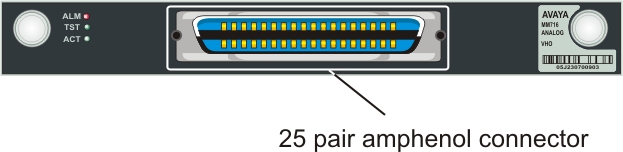
An analog line port on the punch down block connected to an MM716 media module.To connect the MM716 media module to a punch down block, see Connecting devices to the MM717 and MM716 media modules.
-
A LINE port on an MM714 or MM714B media module.
-
- Plug the phone into the telephone port.
ADDITIONAL INFORMATION:The following images show the analog port location on MM711, MM714, MM714B, and MM716 media modules.
Figure: MM711 media module analog ports 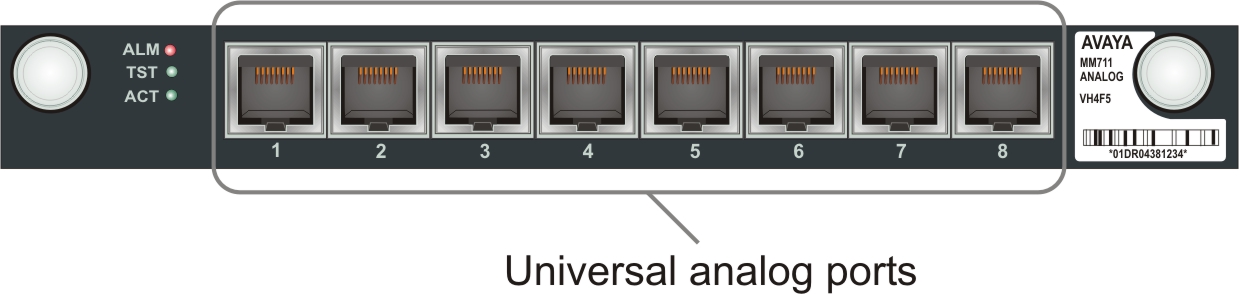
Figure: MM714 media module analog ports 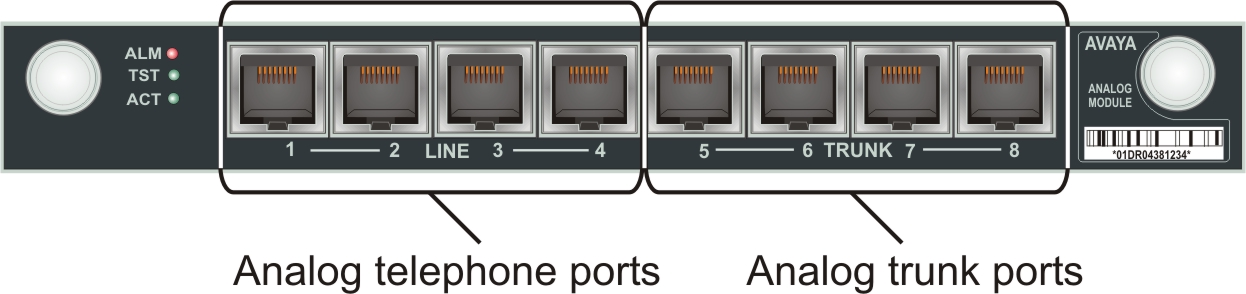
Figure: MM714B media module analog ports 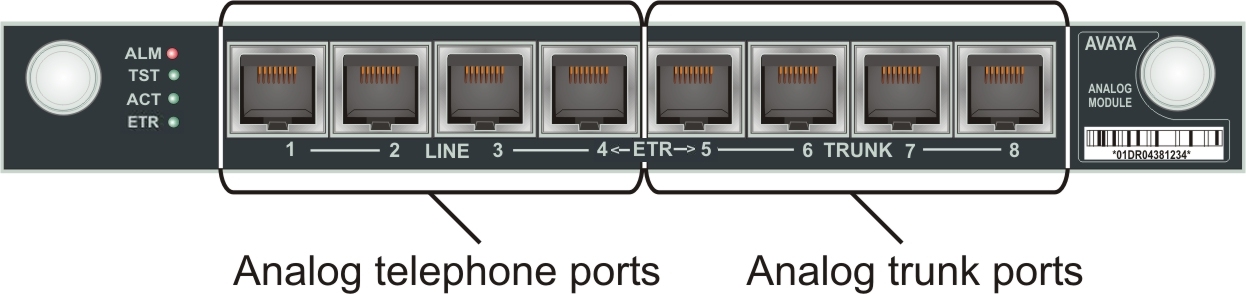
Figure: MM716 media module amphenol connector