

AVAYA DOCUMENTATION CENTER
Find answers to your technical questions and learn how to use our products
Deploying and Upgrading Avaya G430 Branch Gateway
Inserting a VoIP module
Other:
Hold modules only by the edges to avoid damage from static electricity. Do not touch the top or bottom of the circuit board. If possible, wear a wrist-strap and use an anti-static bag.
Caution:
The connector pins can be bent or damaged if the module is handled roughly, or if misaligned and then forced into position.
- The lower board for the MP120 has a plastic standoff. Insert the plastic standoff to MP120.
ADDITIONAL INFORMATION:Note:This step is applicable only for MP120 installation.ADDITIONAL INFORMATION:
Figure: Insert plastic standoff 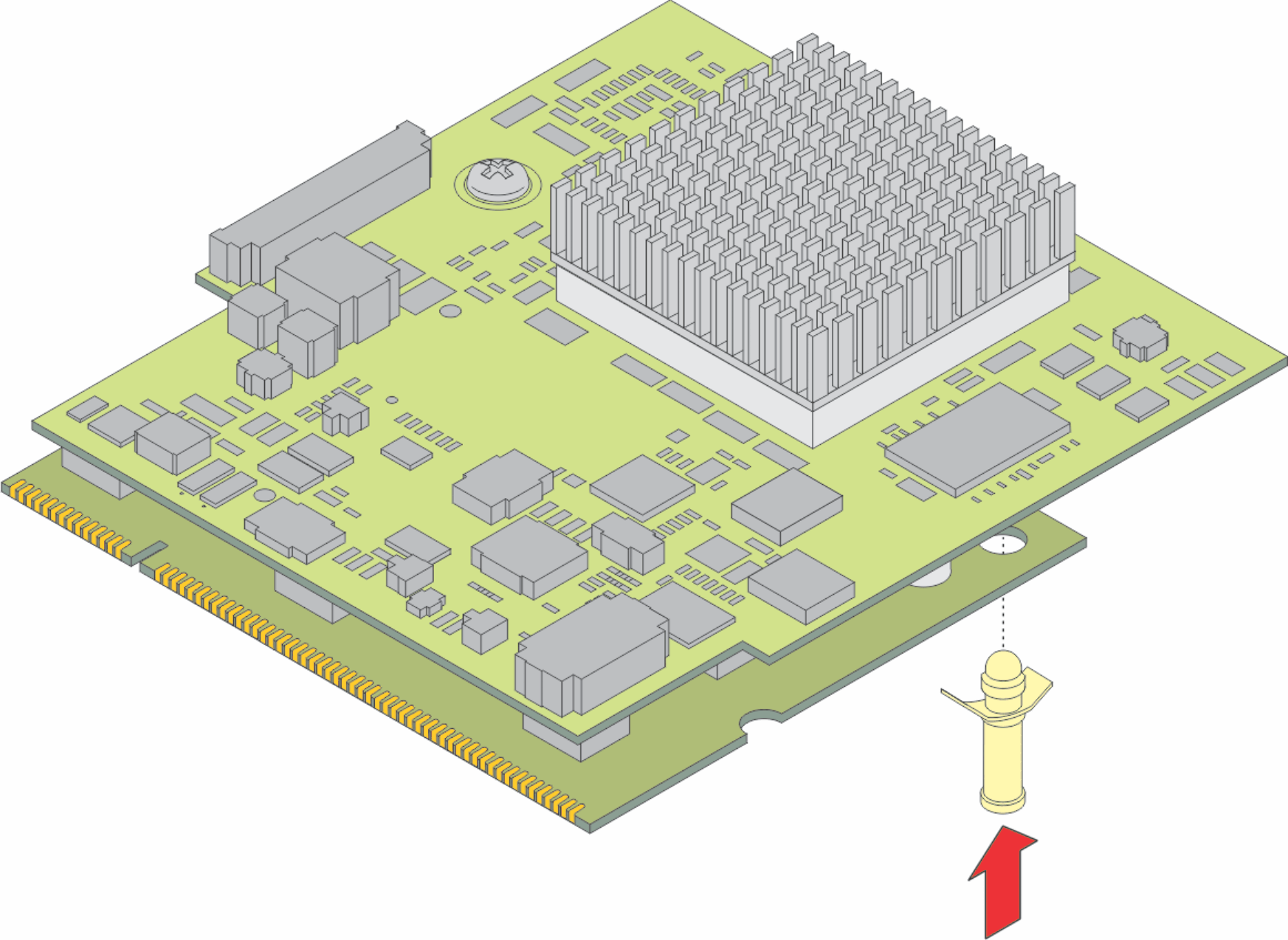
- Locate the VoIP module slot (see the figure).
- Position the VoIP module at a 45 degree angle to the main board, and start inserting it into the VoIP module slot (see the figure).
ADDITIONAL INFORMATION:
Figure: Inserting a VoIP module into the VoIP module slot 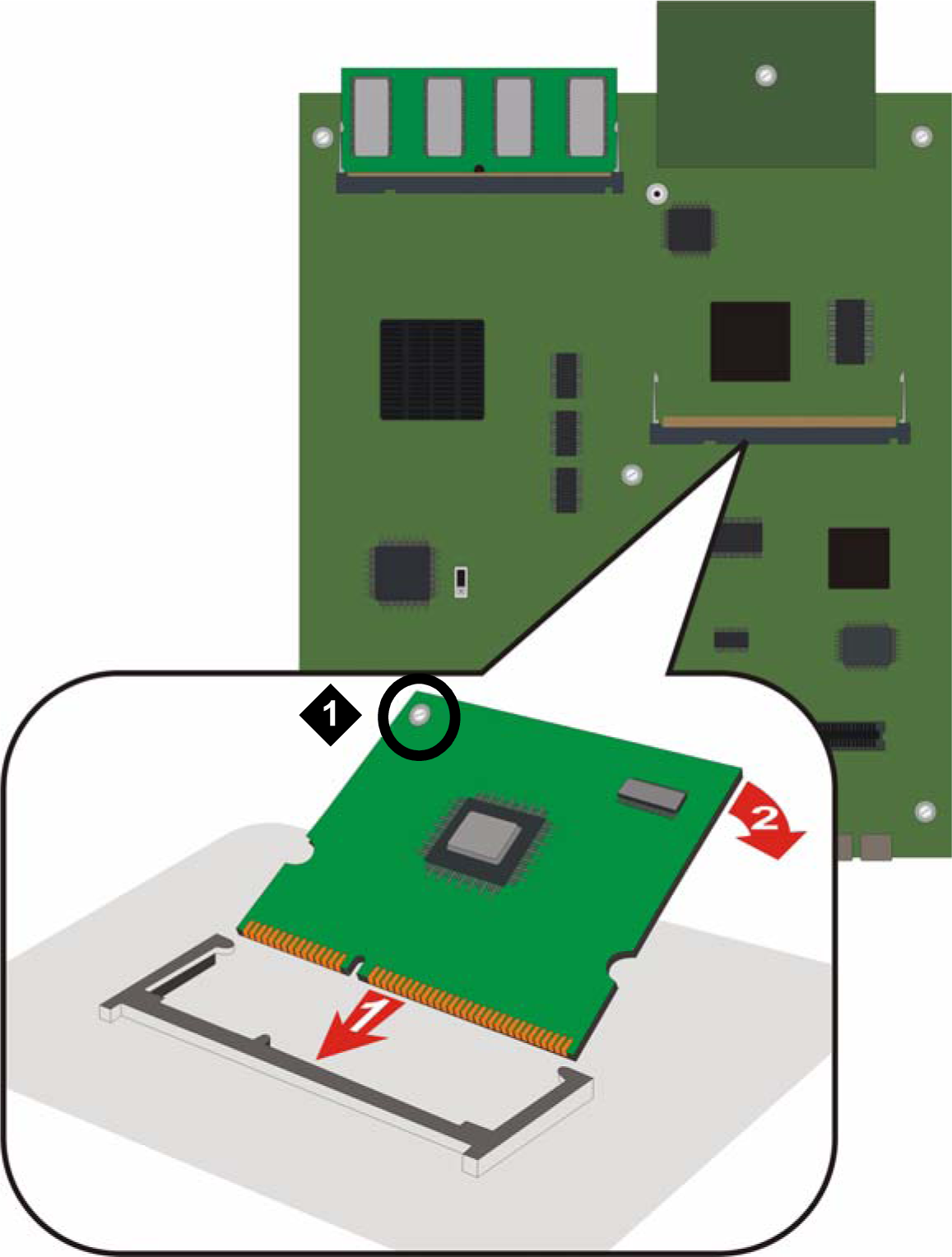
Figure notes: -
VoIP module locking screw
-
- Push the module in all the way.
ADDITIONAL INFORMATION:Do not use too much force.
- Flatten the module so it is flush with the main board.
ADDITIONAL INFORMATION:The latches at both sides click shut.
- Tighten the locking screw affixed to the VoIP module.
ADDITIONAL INFORMATION:This secures the VoIP module to the motherboard.