

AVAYA DOCUMENTATION CENTER
Find answers to your technical questions and learn how to use our products
Using Avaya Documentation Center
Setting search preferences
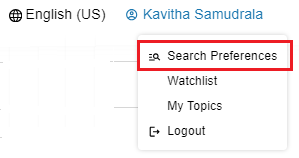
- At the top-right of the home page, from your profile, click Search Preferences.
ADDITIONAL INFORMATION:
- Select one or more solutions, products, releases, and documents from the list.
ADDITIONAL INFORMATION:
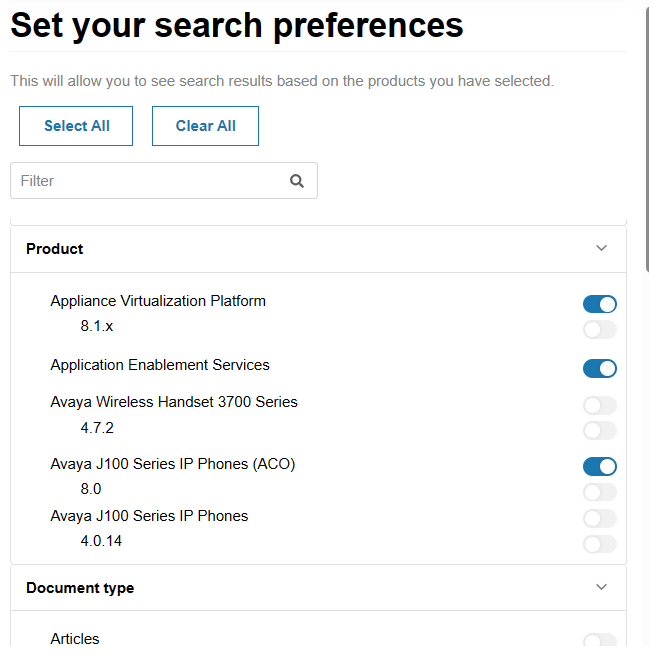 Tip:Use the search box to search for a product or solution.STEP RESULT:When you search for content using a keyword, the page displays the content related to your preferences at the top of the list, making it easier to search and access. The search results page displays the remaining content at the bottom of the results page.
 - To edit search preferences:
-
On the search results page, click Edit Preferences, and change selections.
-
From your profile, click Search Preferences and update search preferences.
ADDITIONAL INFORMATION:Note:If you miss this step, you will see the content of your last search preferences at the top of the search results. -
- To turn off search preferences, on the search results page, toggle Personalized search results.