

AVAYA DOCUMENTATION CENTER
Find answers to your technical questions and learn how to use our products
Administering Avaya Breeze® platform
Backup and Restore drop-down menu descriptions
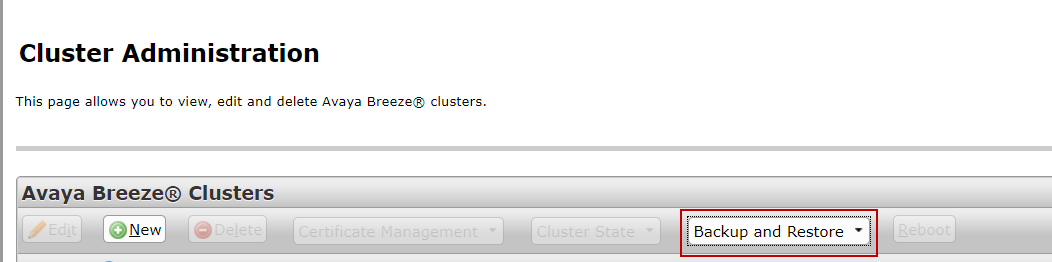
This section describes the options available from the Backup and Restore drop-down menu on the Cluster Administration page, which you can access on System Manager under .
The following image shows the location of this drop-down menu:
Name |
Description |
|---|---|
Backup |
Starts the backup process on the selected cluster. |
Restore |
Starts the restore process. |
Configure |
Configures the backup server location. |
Job Status |
Displays the status of the backup or restore operations. |
Cancel |
Cancels the pending and in-progress jobs. |
Purge |
Purges the completed backups. |