

AVAYA DOCUMENTATION CENTER
Find answers to your technical questions and learn how to use our products
Deploying and Upgrading Avaya G450 Branch Gateway
NVRAM Init
Perform an NVRAM Init only when you cannot access the Branch Gateway, for example when the Branch Gateway resets continuously.
Important:
Performing the NVRAM Init restores the Branch Gateway to its initial state with the default settings.
You can perform an NVRAM initialization using a jumper on the Branch Gateway main board.
Other:
Disconnect the Branch Gateway from the external power source before proceeding.
Other:
Do not touch any components on the printed circuit board except when installing or removing the bridge for the jumper pins.
Proposed Solution
- Remove the Branch Gateway main board.
- To determine the G450 main board version number, look for the label on the main board. The label includes the CS number. The number following “CS” is the main board version number.
ADDITIONAL INFORMATION:Version 1.x differs from other versions in the placement of components on the main board.
- Locate the NVRAM init jumper towards the front of the Branch Gateway main board.
- In Branch Gateway 1.x, the jumper is labeled P5 .
ADDITIONAL INFORMATION:
Figure: NVRAM INIT Jumper in the G450 Branch Gateway 1.x 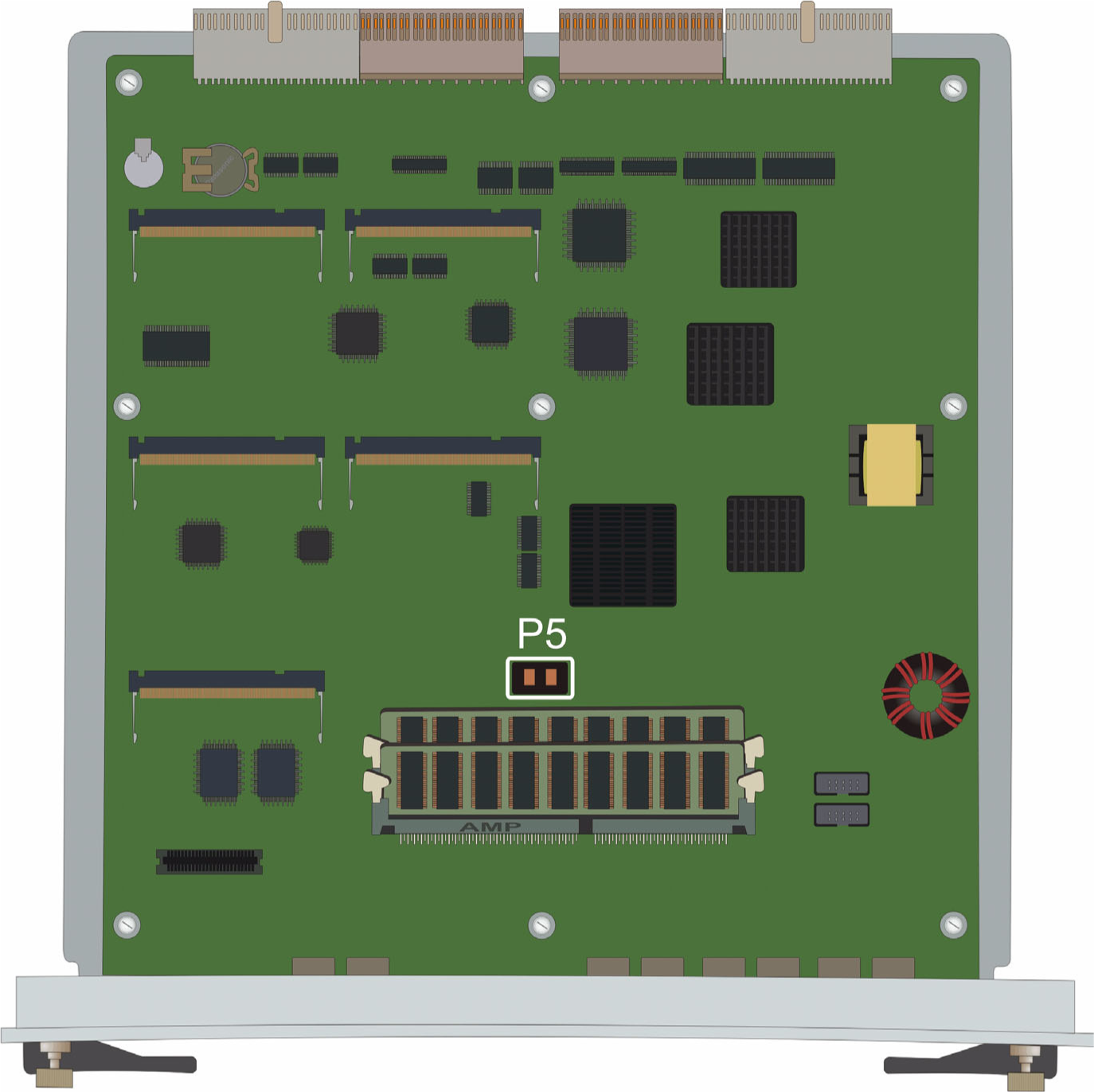
- In Branch Gateway 2.x and 3.x, the jumper is labeled NVRM_INIT.
ADDITIONAL INFORMATION:
Figure: NVRAM INIT Jumper in G450 Branch Gateway 2.x, 3.x and approximate position in 4.x 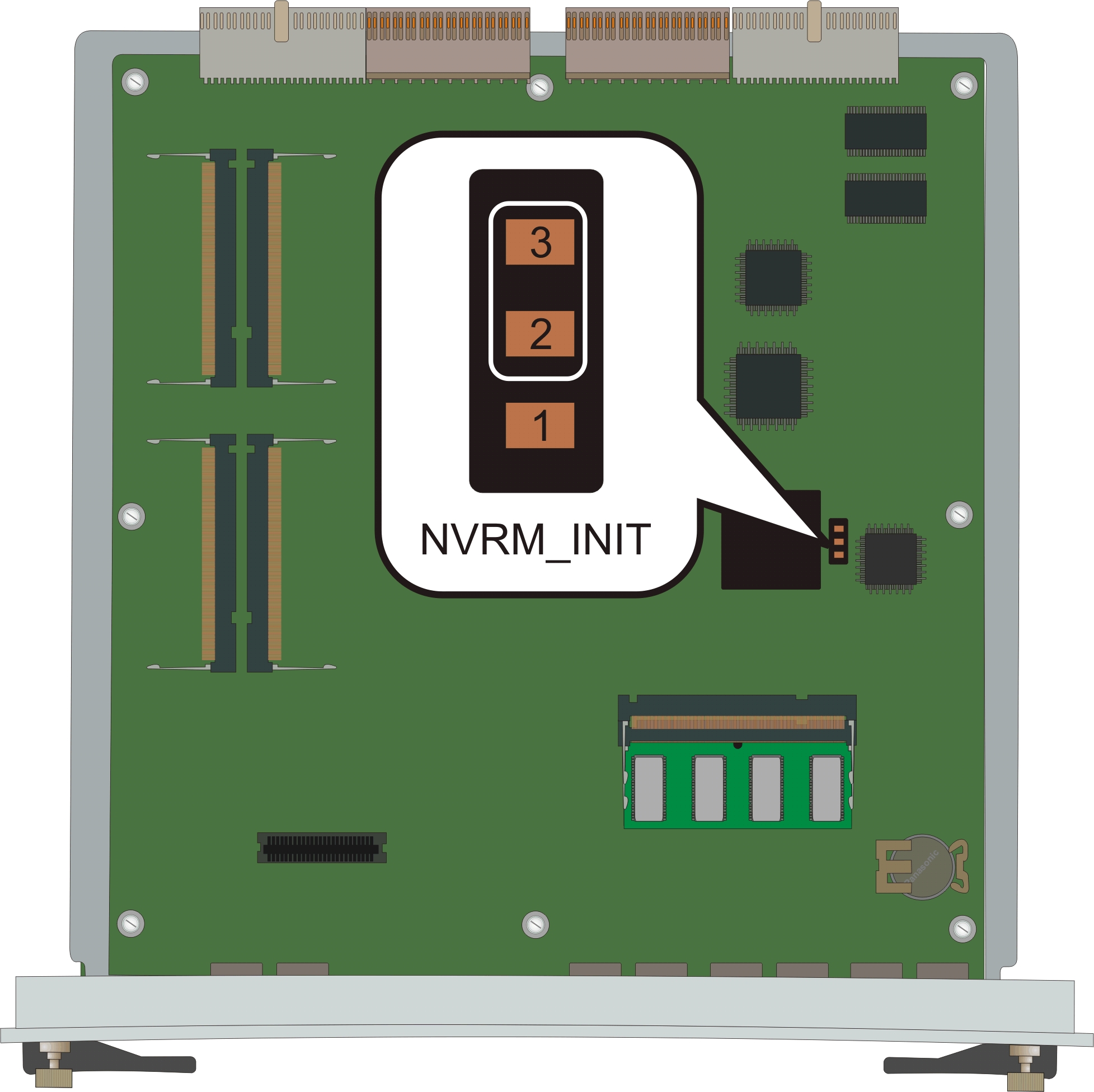
- In Branch Gateway 4.x, the jumper is labeled J701 NVRAM.
- In Branch Gateway 1.x, the jumper is labeled P5 .
- Bridge the NVRAM INIT jumper:
- In a G450 Branch Gateway 1.x, use the bridge provided in the accessory kit to bridge jumper P5.
- In a G450 Branch Gateway 2.x, 3.x, and 4.x, use the bridge provided in the accessory kit to bridge pins 2 and 3 of the NVRM INIT jumper.
ADDITIONAL INFORMATION:Pins 2 and 3 are closer to the front panel of the main board.
- Insert the Branch Gateway main board.
- Let the Branch Gateway operate for about 5 minutes so that it will boot and erase the current configuration.
- Remove the Branch Gateway main board.
- Remove the bridge.
ADDITIONAL INFORMATION:Important:If you do not remove the bridge, the Branch Gateway will continue to initialize the NVRAM when it resets or is powered up.
- Insert the Branch Gateway main board.