AVAYA DOCUMENTATION CENTER
Find answers to your technical questions and learn how to use our products
Deploying and Upgrading Avaya G450 Branch Gateway
Connecting a DCP phone to an MM712 or MM717 media module
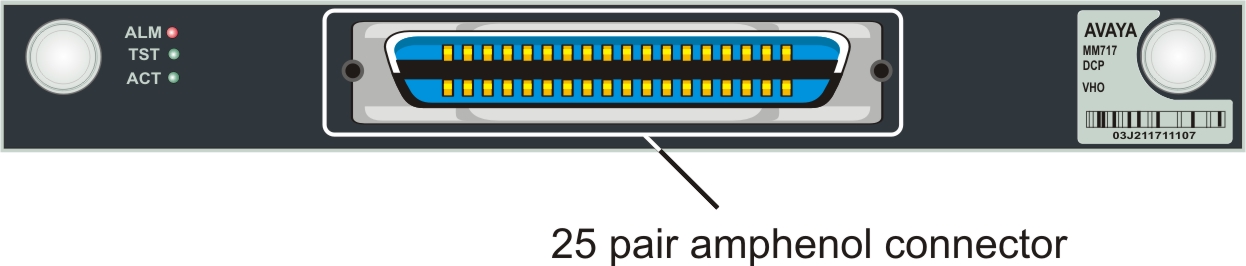
The MM712 media module supports 8 DCP ports and the MM717 media module supports 24 DCP ports, via a single 25-pair amphenol socket on the Branch Gateway front panel.
For a list of supported DCP phones, see Avaya G450 Branch Gateway Overview and Specification.
Other:
Avaya MM712 and MM717 DCP lines require 146E IROB protectors, or 4C3S-75 solid-state 5-pin protectors when they are used for any connection routed out-of-building. These protection devices provide both overvoltage and overcurrent protection.
- Wire a telephone port to a DCP port on Branch Gateway.
ADDITIONAL INFORMATION:The following images show the DCP port location on MM712 and MM717 media modules.
Figure: MM712 media module DCP ports 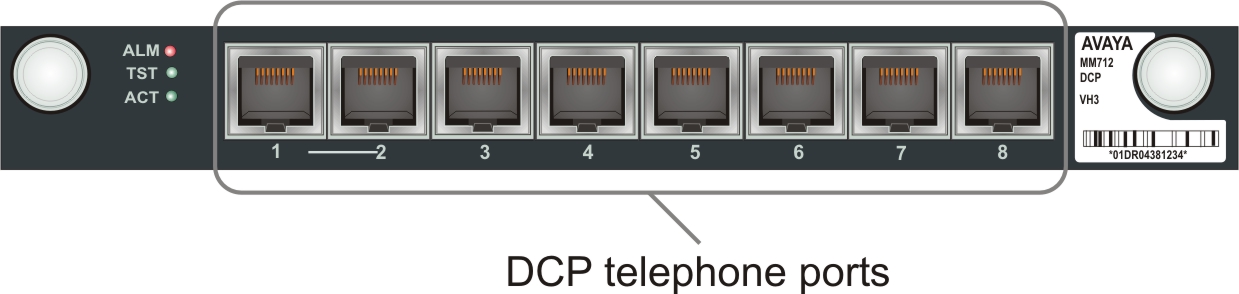
Figure: MM717 media module DCP ports