

AVAYA DOCUMENTATION CENTER
Find answers to your technical questions and learn how to use our products
IP Office Avaya Workplace Client Installation Notes
Set the Avaya Cloud Services user policy
If required, you can restrict the types of account that users can use for SSO. By default, Avaya Cloud Services allows all.
- Log in to Avaya Cloud Services at https://accounts.avayacloud.com.
- Click on Manage Companies and click on the existing company name.
- Select the Policies tab.
- Select Login Options.
ADDITIONAL INFORMATION:
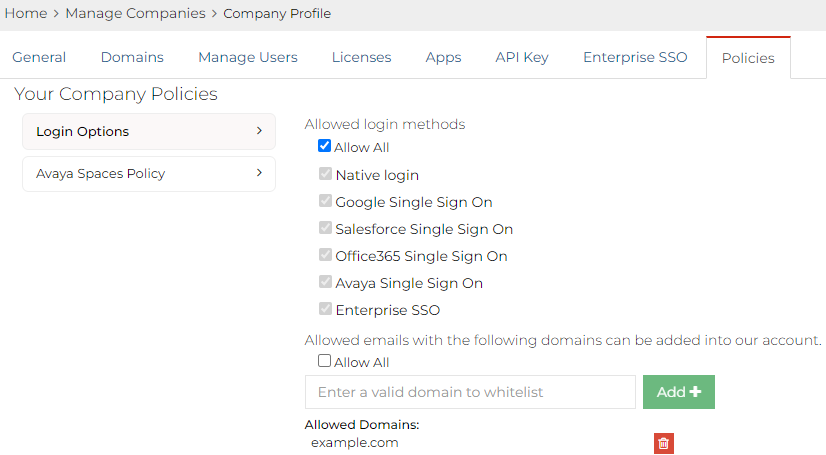
- Select the options which you want enabled for users.
- Click Save,