AVAYA DOCUMENTATION CENTER
Find answers to your technical questions and learn how to use our products
Deploying Avaya Session Border Controller on ASP 130 R6.0.x (KVM on RHEL 8.10)
Registering the key
About this task
Register the custom key in the Shim UEFI key management console, completing the Secure Boot setup. By enrolling the key and confirming with the previously set password, Avaya Session Border Controller is prepared to run securely under UEFI BIOS settings.
Procedure
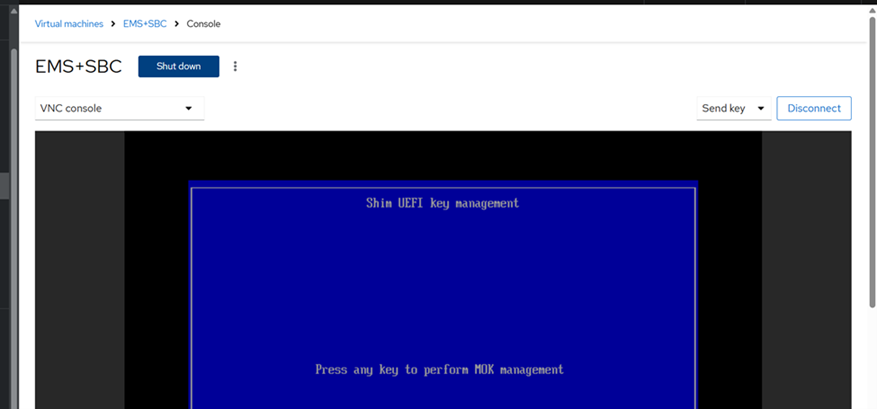
- Press any key to start (within 8 seconds).
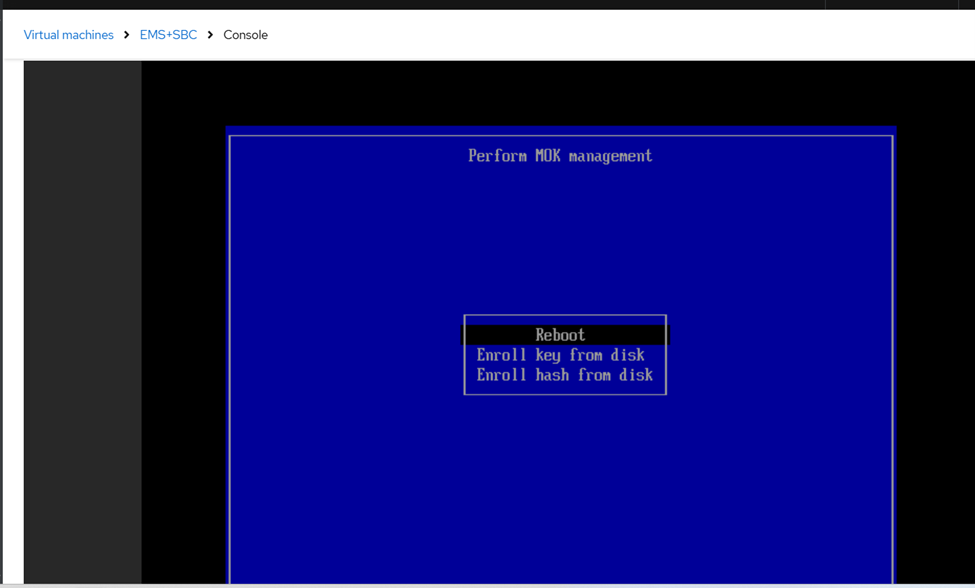
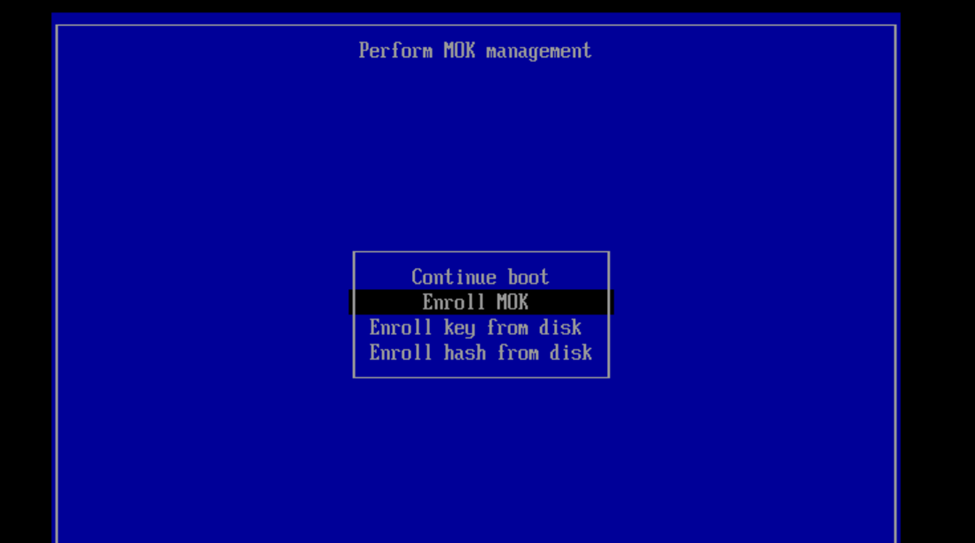
- On the MOK management screen, select Enroll MOK.
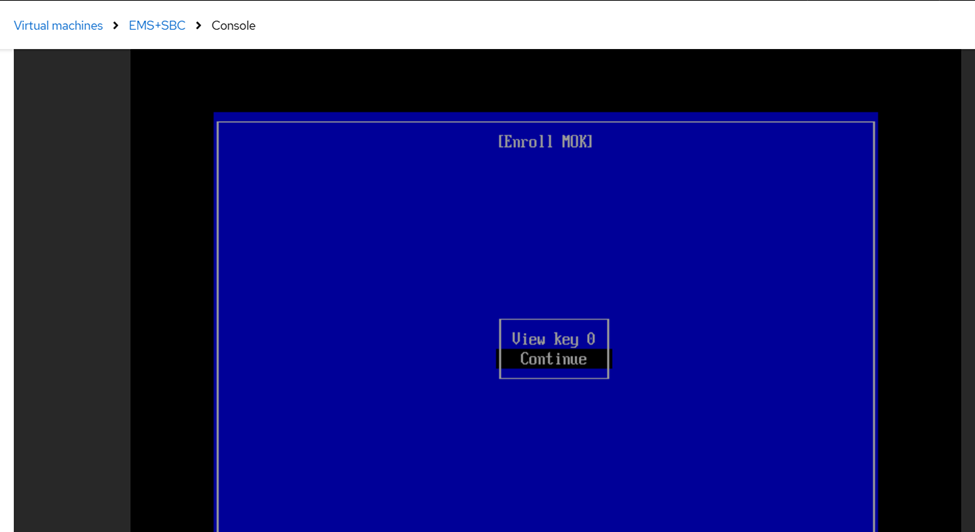
- Select Continue.
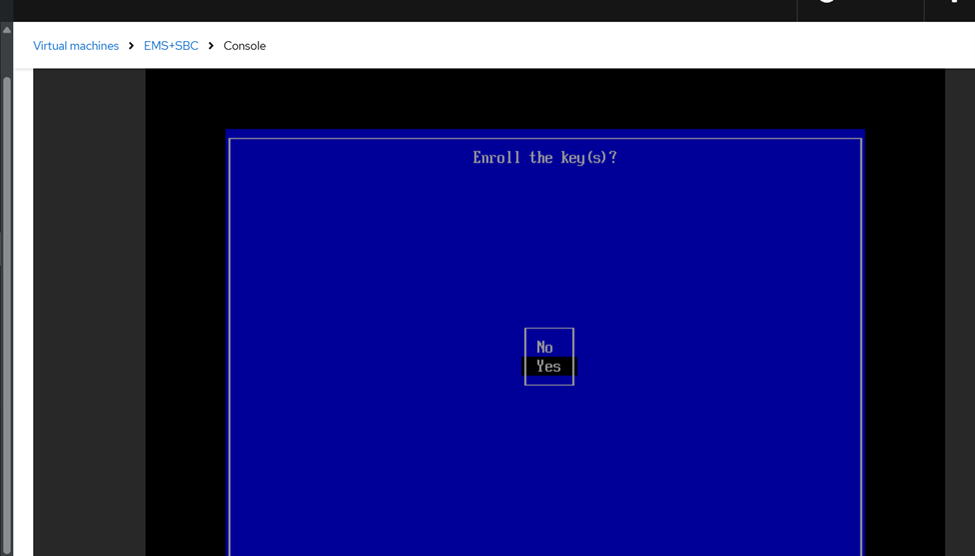
- Select Yes to enroll the key.
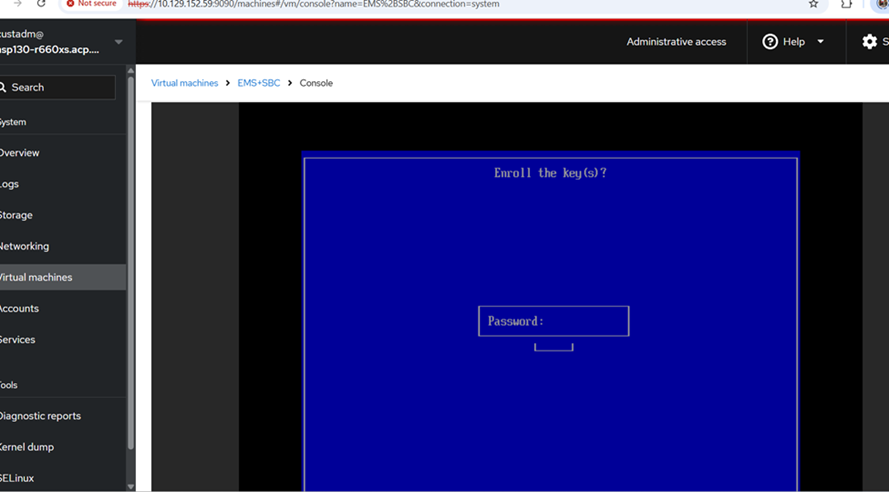
- Enter the password you set earlier.
- Confirm changes and reboot the system.
The system is now configured for Secure Boot with UEFI BIOS settings.