

AVAYA DOCUMENTATION CENTER
Find answers to your technical questions and learn how to use our products
Administering Avaya Experience Platform for supervisors
Installing the wireless module
Before you begin
Obtain the following items:
Phillips #1 screw driver to install the screw of the Avaya J100 Wireless Module.
A flat screw driver that fits in the opening of the module panel.
Procedure
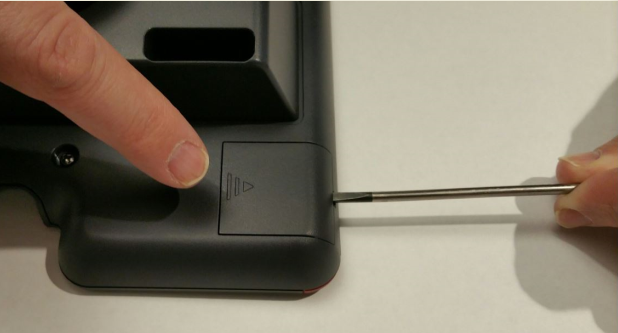
- Insert the screw driver in the opening of the module panel to release the latch. Do not pry open the panel.
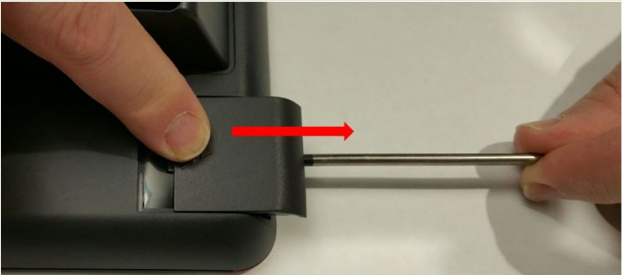
- To remove the module panel, slide the panel out in the direction of the arrow.
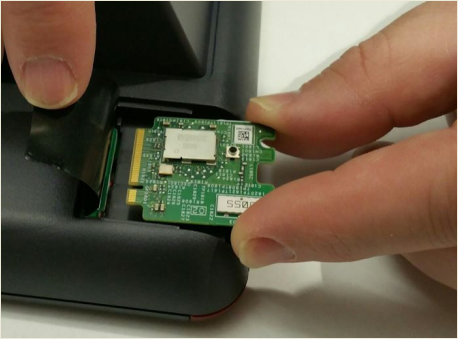
- Insert the Avaya J100 Wireless Module to the edge connector.
- Use the Phillips #1 screwdriver to fasten the module.
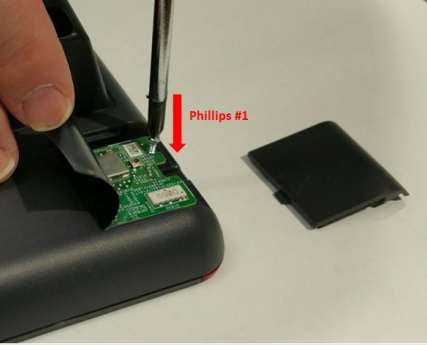
- Slide the module panel inward to close.