DOCSHUB DOCSHUB
  • Library
  • Avaya Support Site Avaya Learning Blogs Videos & Podcasts Knowledge base Report Product bugs
Deutsch English Español (México) Français Français (Canada) Italiano Magyar Nederlands Português (Brasil) Русский עברית العربية 中文(简体) 中文(繁體) 日本語 한국어
Login
DOCSHUB DOCSHUB
  • Library
  • Avaya Support Site Avaya Learning Blogs Videos & Podcasts Knowledge base Report Product bugs
  • Deutsch English Español (México) Français Français (Canada) Italiano Magyar Nederlands Português (Brasil) Русский עברית العربية 中文(简体) 中文(繁體) 日本語 한국어
Login

Administering Avaya Experience Platform for supervisors

Table of Contents

Type to filter navigation items by title
  • Prerequisites
    • Enabling SSH
    • Physical layout
    • Flow chart image size
    • Flow chart image size 2
    • Downloading the software
    • Using a voice interaction card
    • CRM Head
      • AXP Public Cloud integration with CRMs
    • YouTube video test
    • Avaya CU360 USB and IP Camera
    • Playing a meeting recording
    • Image size-task
    • Image size-concept
    • Testing vertical spacing with graphics in steps
    • Minimizing and docking a module
    • Login issues when auto run is enabled
      • Locking the device manually when Smart Lock is enabled
      • Editing_a_subnet.html
    • Upgrade planning
      • All about subnet
      • Upgrade process
      • Preparing content for publishing on the Avaya Documentation Center
    • All about subnet
    • Cert-based SSH Login
    • EMP deployment checklist
    • Remote users can view the VoIP Services Limited error
    • Installing the wireless module
  • Power specifications versus checkers
    • Minimum requirements for Equinox Management
  • Table test
    • Table test
      • Reporting metric definitions
      • Power specifications versus checkers
      • Hardware specifications
      • Reporting metric definitions
  • Verify Video-related settings
    • Adding special roles
    • Adding Soft Clients
      • Duplicating subnet params
      • Remote Loop-Around Test
  • Upgrading
    • Change history
      • Applying the Communication Manager patch using SMI
      • Applying the Communication Manager patch using SMI
    • Renaming a Topology Hiding profile
    • Cloning a Topology Hiding profile
    • Editing a Topology Hiding Header
    • Deleting a Topology Hiding header
    • Configuring Binary Floor Control Protocol
    • Administer an extension for the DMCC phone
  • Glossary
    • Busy Hour Call Completions
    • Client SDK server
    • Expert agent distribution
Home
Administering Avaya Experience Platform for supervisors
Flow chart image size

Flow chart image size

Share this page

  • On LinkedIn
  • On X
  • On Email

PDF Export Options

  • This Topic
  • Entire Document
Last Updated : Jun 08, 2026 |
Avaya Control Manager
Product Change Notices, Product Support Notices
Agent
Supervisor
9.1
Beginner
Intermediate

Infinity image test

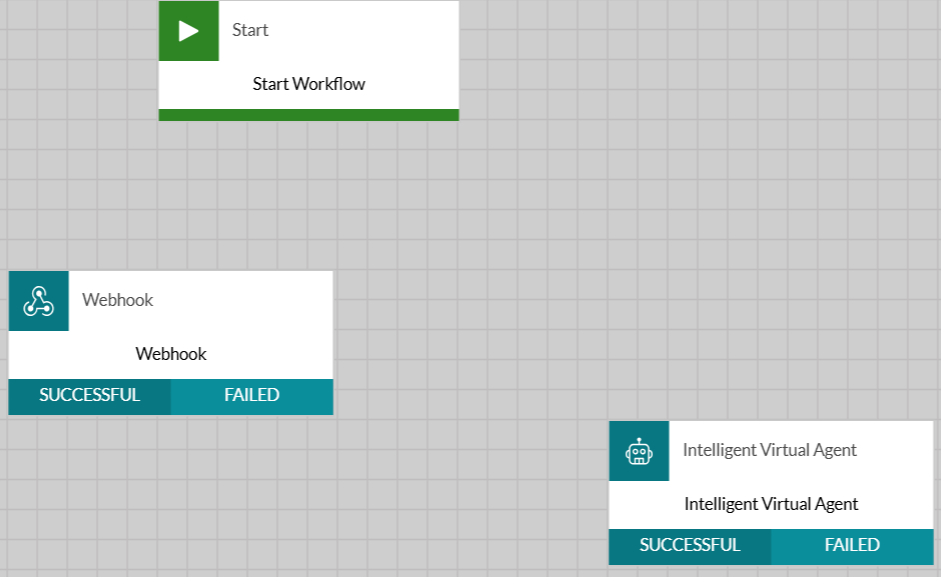
workflow1

workflow2

image test
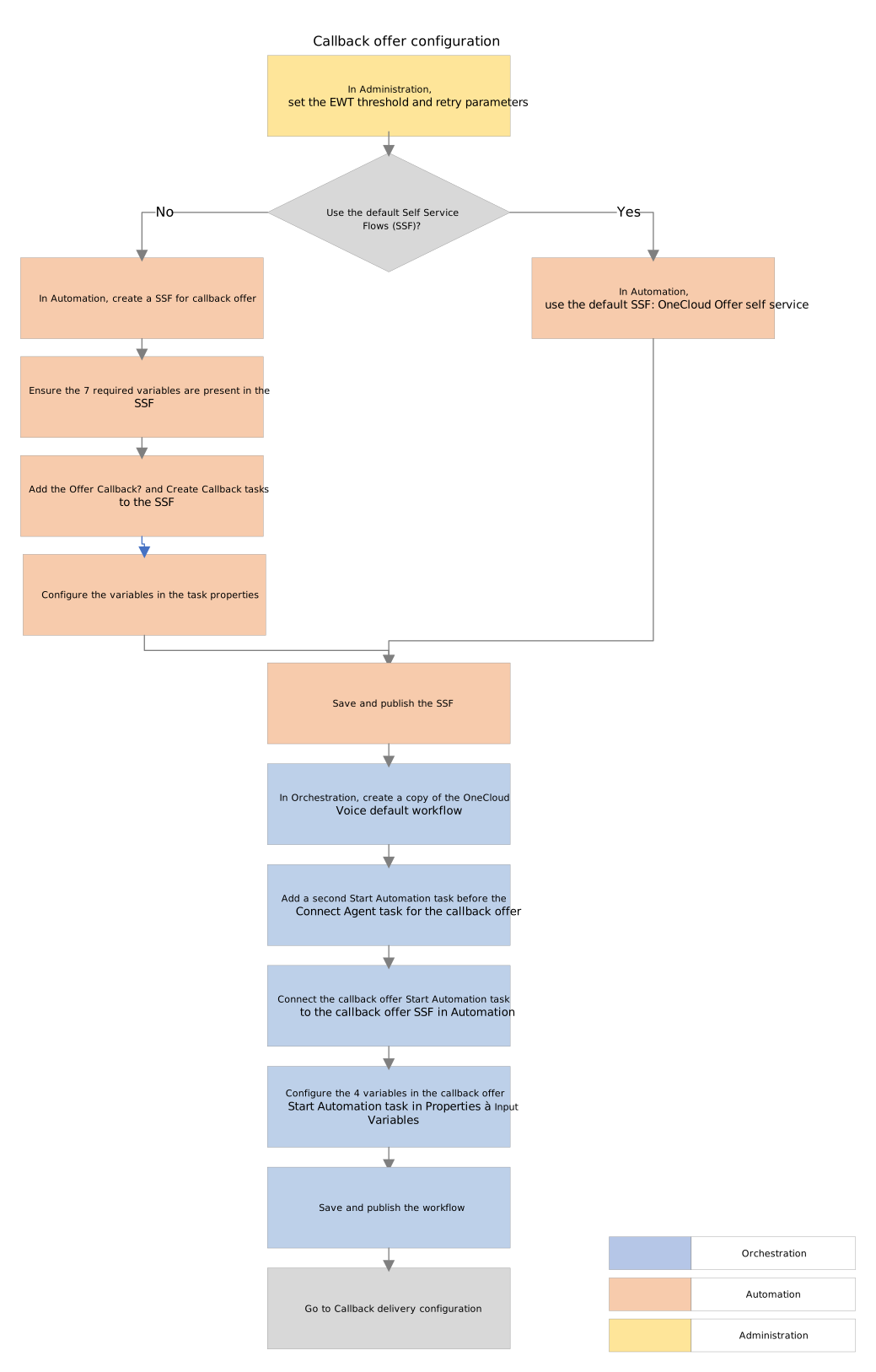
Figure : 1. IC-CF flowchart
flowchart
Related information
Administering Callback
Send Feedback

Topic navigation

Previous Topic

Physical layout

Next Topic

Flow chart image size 2

In this article

  • Infinity image test

STAY CONNECTED

Twitter Youtube Linkedin
Footer Icon
  • Sitemap
  • Terms of use
  • Privacy
  • Cookie Policy
  • Trademarks
  • Accessibility
© 2026 Avaya LLC