

AVAYA DOCUMENTATION CENTER
Find answers to your technical questions and learn how to use our products
Administering Avaya Workspaces for CRM with Avaya Experience Platform™ (On-Prem + Connect)
Configuring your call center
Configure your call center to define how Avaya Workspaces for CRM handles incoming and outgoing interactions and manages your agents' experience. For example, you can enable the call transfer feature and allow agents to select reason codes.
Before you begin
Import the CCDef file for your call center to Salesforce.
- At the top of the Salesforce home page, click
 .
. - In the pop-up window, click Setup.
- On the Setup page, go to .
- Locate the call center to configure and click it.
STEP RESULT:Salesforce displays the Call Center Detail page containing the selected call center configuration.
- At the top of the page, click Edit.
- Fill in the fields.
ADDITIONAL INFORMATION:
Figure: Example of the Salesforce contact center configuration screen 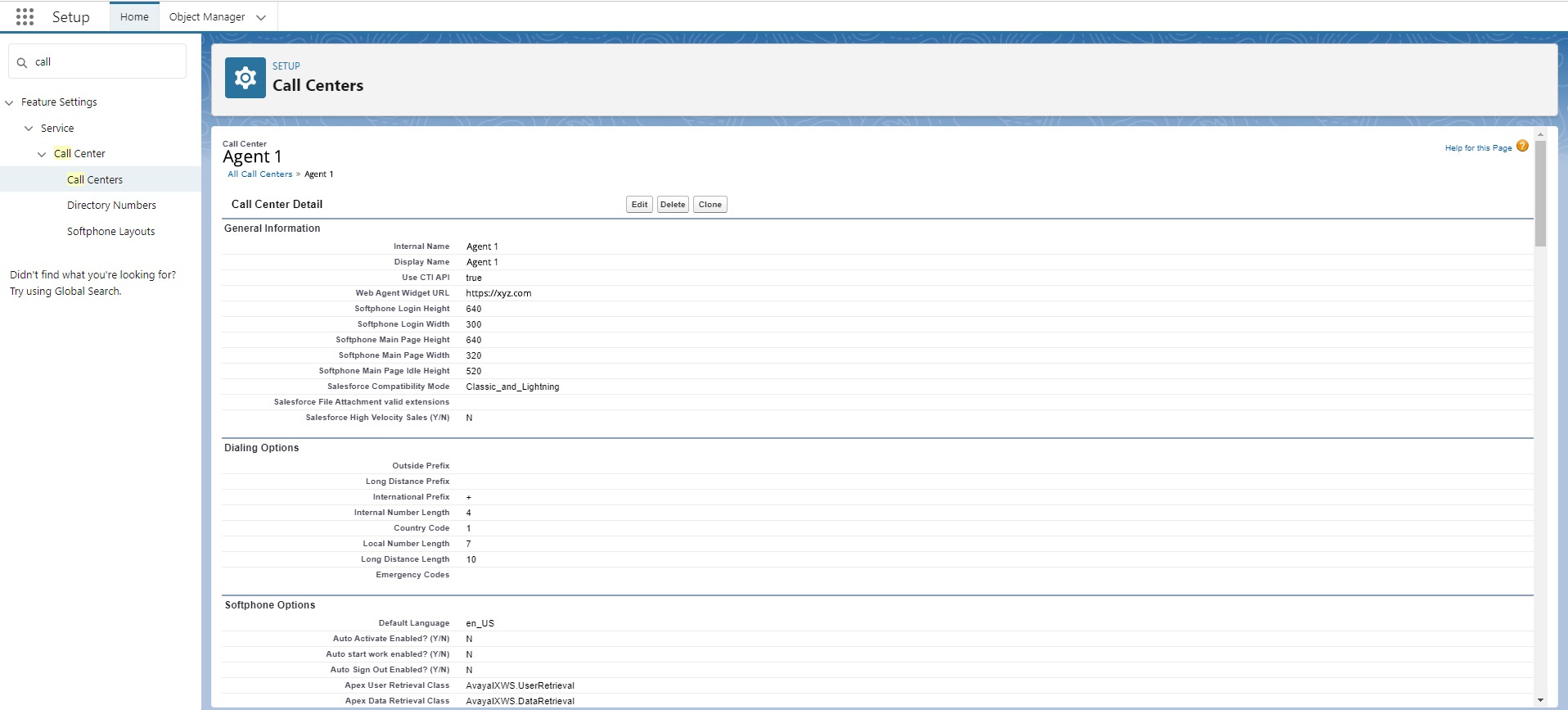
- Click Save.