

AVAYA DOCUMENTATION CENTER
Find answers to your technical questions and learn how to use our products
Avaya Aura® Communication Manager Survivability Options
Monitoring registration requests example
About this task
This example shows how you would use the list trace ras ip-address x.x.x.x command to monitor registration requests from a survivable core server and the associated response from the main server.
Procedure
- Run the display survivable-processor command from the main server and make note of the IP addresses of the main Server and the survivable core servers.
Figure : 1. Troubleshooting - display survivable processor example 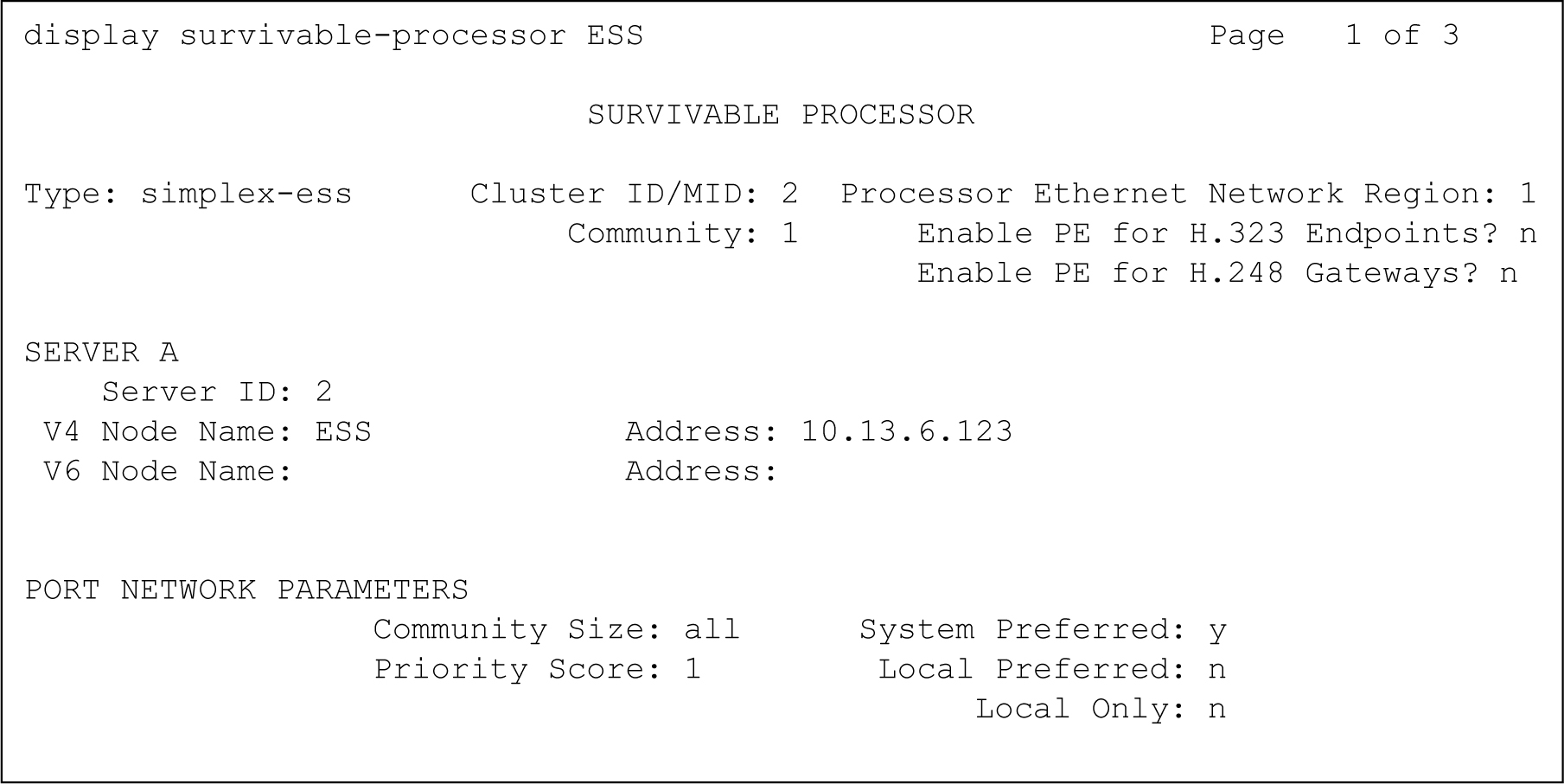
- From the main server, enter the list trace ras ip-address x.x.x.x command for the IP address that is to be monitored.
In this example, the IP address of the survivable core server (135.9.78.143) was entered.
The first message exchange is from the survivable core server sending a Registration Request (RRQ) to the main server. The main server responds with a Registration Confirmation (RCF). The survivable core server and main server continue a conversation where the survivable core server sends a Keep-Alive message (KARRQ) and the main server confirms it (RCF).
Figure : 2. Troubleshooting - list trace ras command example - main server 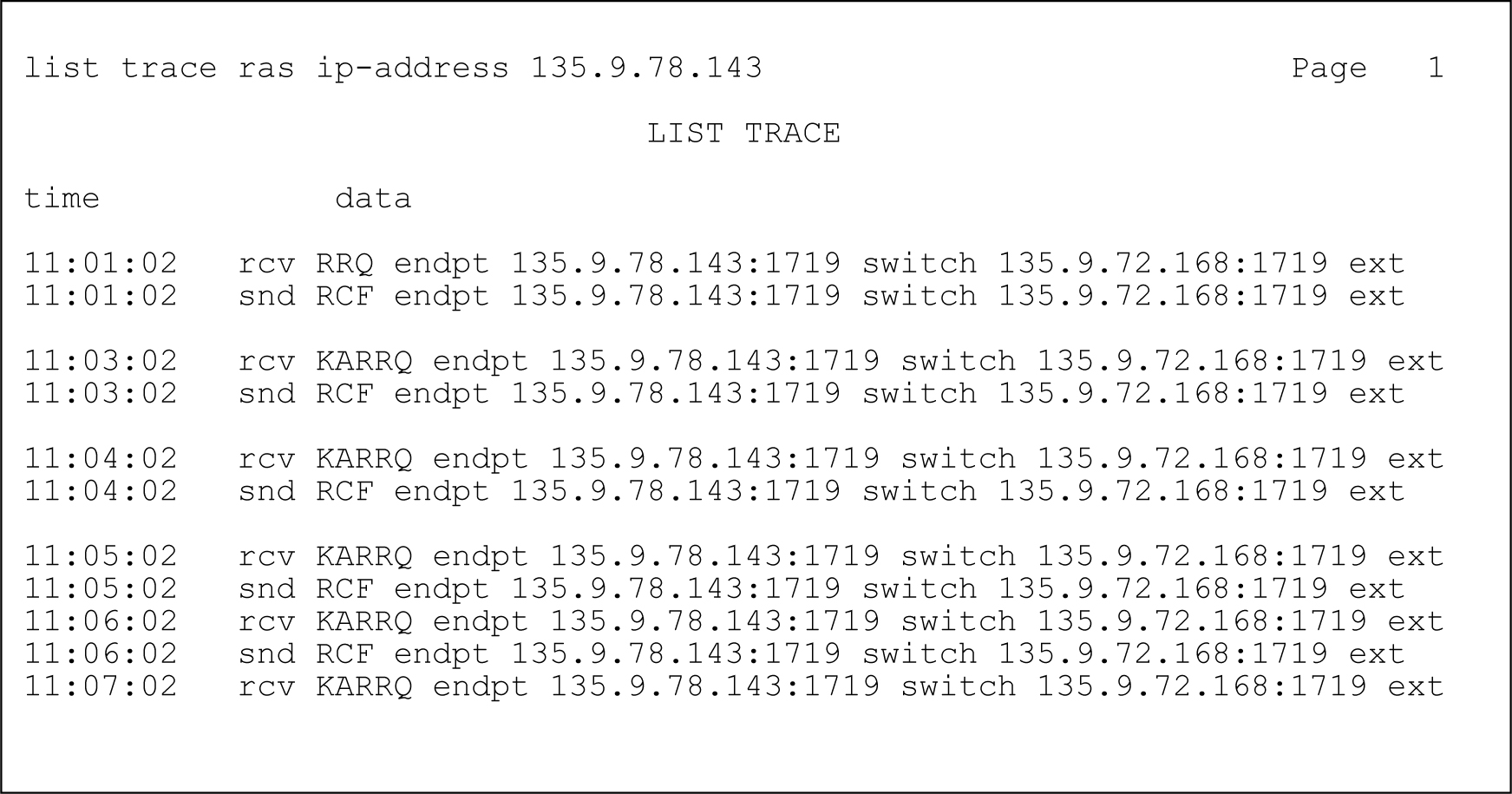
- Fom the survivable core server, run the trace command. Use the IP address obtained from the Configure ESS page with the list trace ras command.
The same ESS/main message exchange takes place. From this perspective the survivable core server sends a Registration Request (these appear as KARRQ messages at the main server) and the main server responds with Registration Confirmation (RCF) messages.
Figure : 3. Troubleshooting - list trace ras command example - ESS 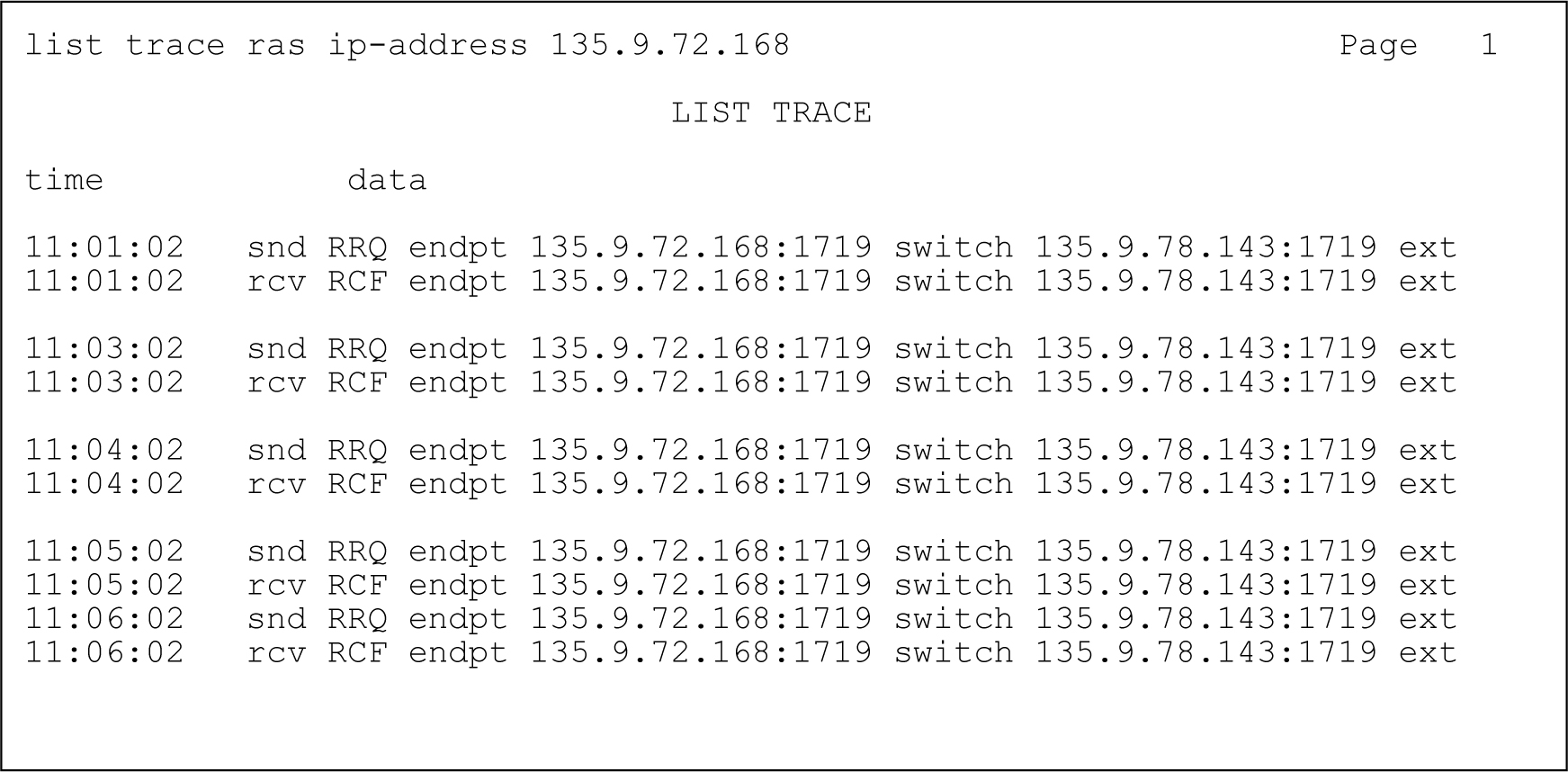
- Suppose that the survivable core server is incorrectly administered on the main server.
In this example, the survivable core server is configured to have Server ID 98 using Network Configuration on the Server Configuration page. However, the survivable core server also has Server ID 97 administered on the main server using the SAT command change survivable-processor.
From the main server, the data shown in the following figure displays using the list trace ras command.
Figure : 4. Troubleshooting - mis-administration - main server perspective 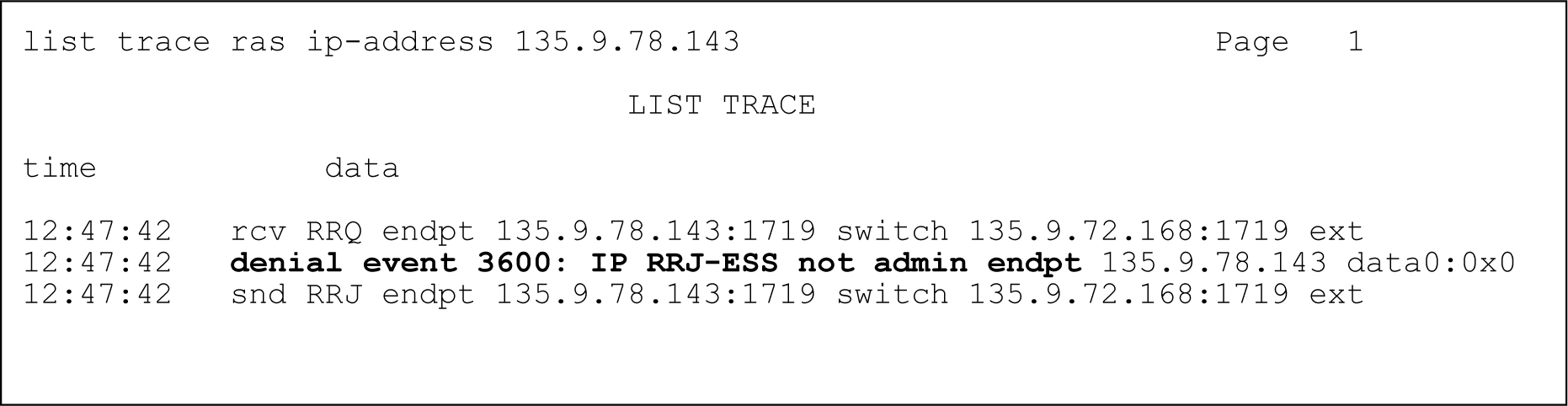 Notice that on the main server a denial event occurs when the survivable core server attempts to register. Denial events are displayed using the display events command. Briefly, the denial events associated with survivable core server are:
3600: IP RRJ-ESS not admin: The survivable core server attempting to register does not match any of the administered survivable core servers in translations.
3601: IP RRJ-ESS obj not init: The FEAT_ESS feature bit is not turned on in the license file.
3602: IP RRJ-ESS bad SID sent: The survivable core server sent a SID that does not match that of the main server. The SID is set by the license file.
Using the list trace ras command on the survivable core server, the server displays the data as shown in the following figure.
Figure : 5. Troubleshooting - mis-administration - ESS perspective 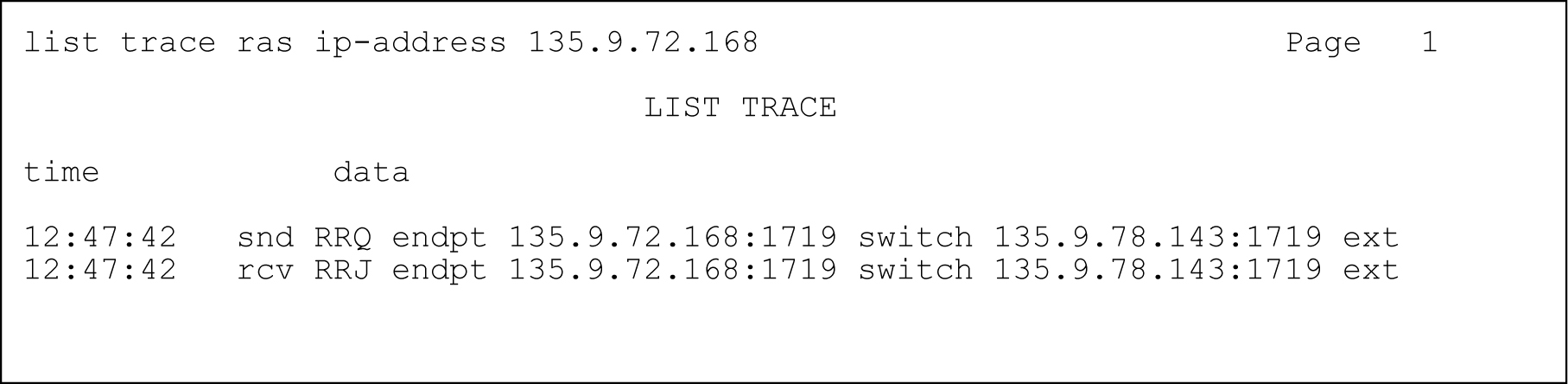
Notice that the survivable core server sends a Registration Request (RRQ) but only receives a Registration Rejection (RRJ) from the main server.