

AVAYA DOCUMENTATION CENTER
Find answers to your technical questions and learn how to use our products
IP Office Resilience Overview
DECT Trunk Resilience
Using System Status Application you can view the status of both an IP Office system and also any DECT systems to which it is connected. This is done by selecting . Selecting the IP DECT System then displays details of the particular system and extensions being supported by that system.
The addresses and status of the mirrored master base stations is indicated. For the extensions, the connection being used is also indicated.
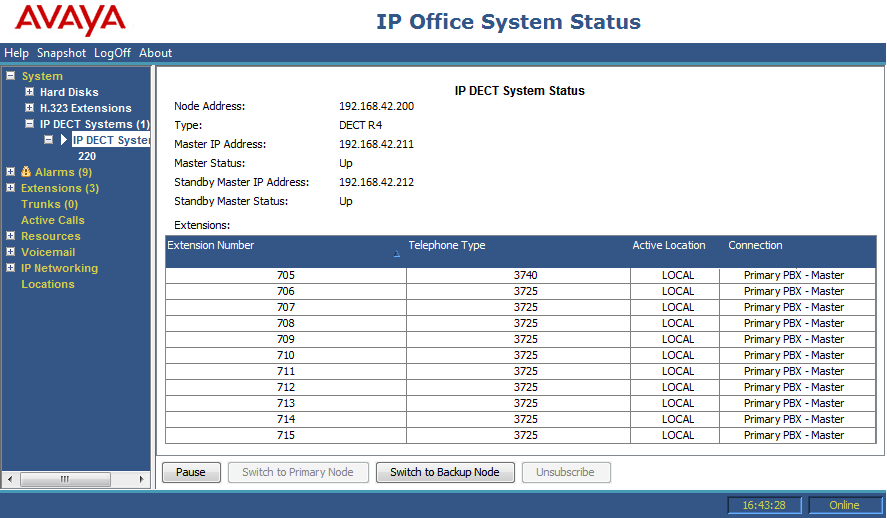
The menu provides a number of controls:
Unsubscribe: Force the selected extension to unsubscribe.
Switch to Backup Node: Force the DECT connection to switch to the failover IP Office.
Switch to Primary Node: Force the DECT connection to switch from the failover IP Office to the home IP Office. This option is required if the setting Prioritize Primary is not selected, see Configuring DECT Resilience.