

AVAYA DOCUMENTATION CENTER
Find answers to your technical questions and learn how to use our products
Deploying IP Office Server Edition and Application Servers
Checking memory usage
To debug a case you need to check the memory that the system uses.
Note:
You can also check the memory usage in the Home page of the Web Control Panel.
Before you begin
Log in as Administrator using SSH Secure File Transfer client
- Type the path of the system logs folder in the Remote View of the File Transfer window.
ADDITIONAL INFORMATION:The path is /var/www/html/logs.STEP RESULT:The system displays the list of all the logs.
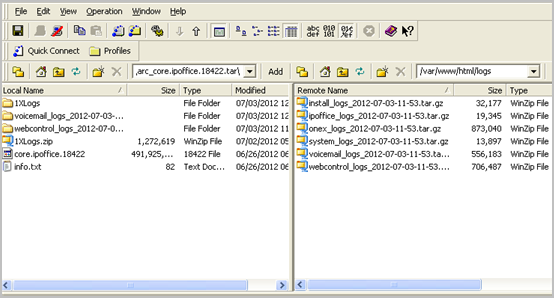
- Move the system_logs < time and date stamp> tar.gz file from the Remote View to a location in the Local View of the File Transfer window.
- In the local computer extract the system_logs < time and date stamp> tar.gz file.
- Go to the tmp folder located in the system_logs < time and date stamp> tar that you extracted.
- Open the avayasyslog.txt file.
Result
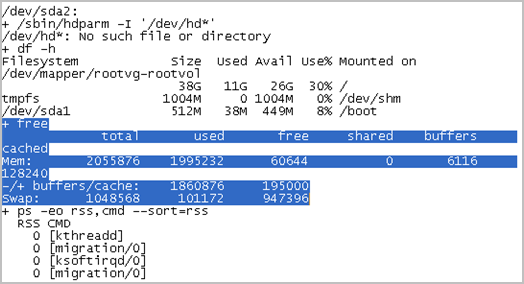
The system displays the details of memory usage in the table that follows the text + free.