

AVAYA DOCUMENTATION CENTER
Find answers to your technical questions and learn how to use our products
Using Avaya J139 SIP IP Phone in Avaya Aura®
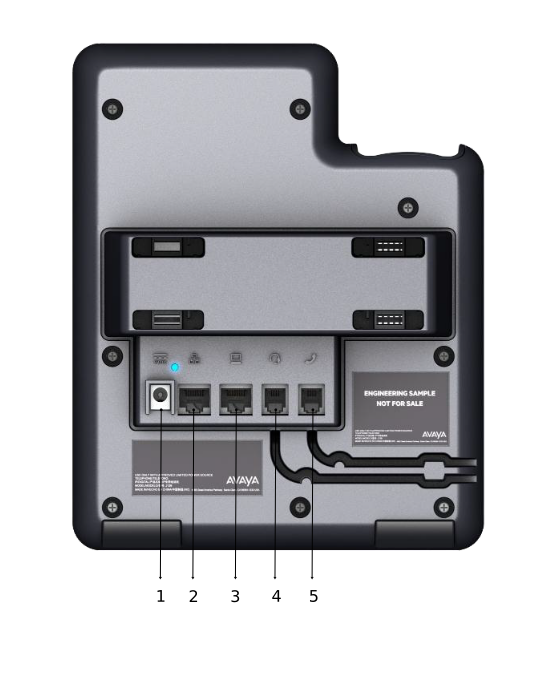
Connection jacks for J139 IP Phone
The following image illustrates the connection jacks that are present on the back panel of Avaya J139 IP Phone.
The image schematically describes which device to connect to which jack.
|
No.
|
Name
|
Description
|
|---|---|---|
|
1
|
5V DC Jack
|
To connect the power supply.
|
|
2
|
Network port
|
To connect the Ethernet cable.
|
|
3
|
PC port
|
To connect the computer.
|
|
4
|
Headset Jack
|
To connect the headset.
|
|
5
|
Handset Jack
|
To connect the handset.
|