

AVAYA DOCUMENTATION CENTER
Find answers to your technical questions and learn how to use our products
Installing and Administering the IP Office B179 SIP Conference Phone
Importing and exporting contacts
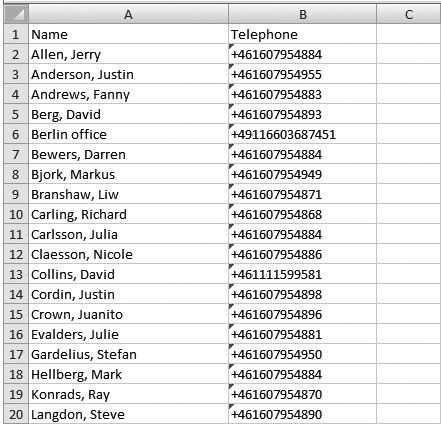
You can import contacts from a comma separated values (.csv) file. One way of creating a .csv file is using Microsoft Excel and saving the file in .csv format.
Enter the names of the contacts in the first column and their phone numbers or URIs in the second. Do not use hyphens or spaces in the number. Note that Excel ignores zeros at the beginning of numbers. The cells must therefore be formatted as text.
Note:
It is normally possible to export contact books stored in your PC in CSV format.
The way the number can be written may depend on the SIP PBX being used, but normally you can use:
Complete phone number, including country code
Phone number, including area code
Local phone number only
Internal speed dial number (with company’s own PBX)
URI, e.g. sip:user@company.com
URI with IP address, e.g. sip:10.10.1.100 (within a local network)