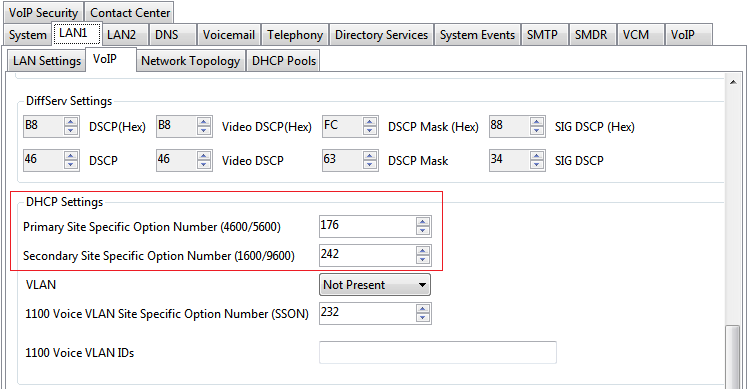
Using IP Office Manager, retrieve the configuration from the system.
Select System
Select the LAN1 or LAN2 tab depending on which of the system's LAN interfaces you want to use to support H.323 extensions.
Select the VoIP sub-tab.
Check that the site specific option number settings match those required for the phones being supported. The default for 1600 and 9600 Series phones is 242.