

AVAYA DOCUMENTATION CENTER
Find answers to your technical questions and learn how to use our products
IP Office Platform H.323 Telephone Installation
IP Office H.323 IP Phones
This documentation provides notes for the installation of supported Avaya IP phones onto an IP Office system. It should be used in conjunction with the existing installation documentation for those series of phones.
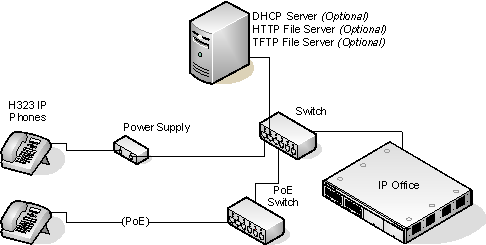
DHCP versus Static IP Installation: Though static IP installation of H.323 IP phones is possible, installation using DHCP is strongly recommended. The use of DHCP eases both the installation process and future maintenance and administration. For static installations, following a boot file upgrade, all static address settings are lost and must be re-entered.
Network Assessment: High quality voice transmission across an IP network requires careful assessment of many factors. Therefore:
We strongly recommend that IP phone installation is only done by installers with VoIP experience.
The whole customer network must be assessed for its suitability for VoIP, before installation. Avaya will not support any installation where the results of a network assessment cannot be supplied. See Network Assessment for further details.