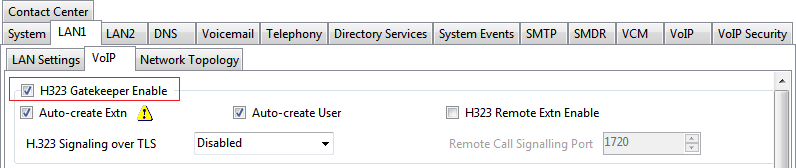
Enabling the H.323 Gatekeeper

Last Updated : Mar 17, 2021 |

About this task

Support for H.323 telephones and lines is enabled by default. However, the settings should be checked.

Procedure

  1. Using IP Office Manager, retrieve the configuration from the system.
  2. Select System
  3. Select the LAN1 or LAN2 tab depending on which of the system's LAN interfaces you want to use to support H.323 extensions.
  4. Select the VoIP sub-tab.
  5. Enable the H323 Gatekeeper Enable setting checkbox.
  6. Save the configuration.