

AVAYA DOCUMENTATION CENTER
Find answers to your technical questions and learn how to use our products
Using IP Office System Monitor
Blacklisted Extensions
This menu displays extensions that have attempted to register using the wrong password.
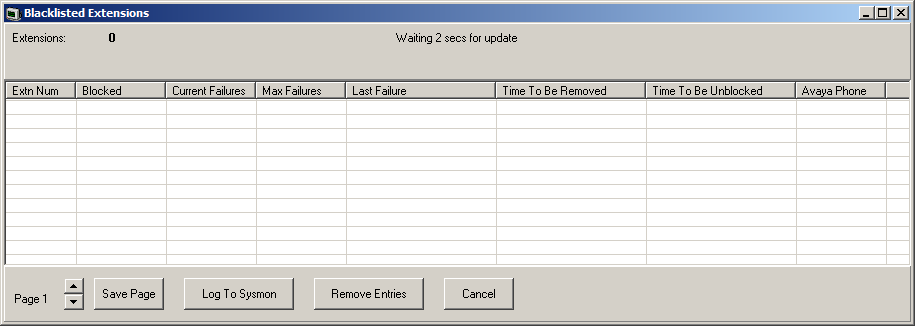
-
Extensions are blocked after five failed registration attempts within a 10 minute period.
-
The extensions are blocked for 10 minutes.
-
Whilst blocked, further registration attempts are ignored even if correct password details are entered.
-
For non-Avaya phones, if the extension continues to attempt to register during this period its blocking time is extended.
-
When an extension becomes blocked, the system also generates an alarm in System Status Application application and adds an entry to the audit log. A system alarm is also generated and can be output using any of the configurable system alarm routes.
-
The IP address of a phone attempting to register can also blocked, see, Blacklisted IP addresses. A phone can also be blocked from registering if it becomes quarantined, see Quarantined Phone Status.
Columns
|
Extn Num
|
The extension number.
|
|
Blocked
|
Indicates whether the extension is now blocked having exceeding the number of allowed registration failure.
|
|
Current Failures
|
The number of registration attempt failures.
|
|
Max Failures
|
The number of registration failures at which the extension was blocked.
|
|
Last Failure
|
The date and time of the last failed registration attempt.
|
|
Time To Be Removed
|
The date and time at which the extension, if not blocked, and removed from the blacklist if there are no further failed registration attempts.
|
|
Time To Be Unblocked
|
The date and time at which a blocked extension will beb unblocked and removed from the list.
|
|
Avaya Phone
|
Indicates whether the extension is a recognized Avaya phone.
|
Button
|
Save Page
|
Saves the current status menu data to a text file in comma separated format.
|
|
Log To Sysmon
|
When selected, the information is added to the Syslog monitor log. A comma separated row is added to the log output for each current entry.
|
|
Remove Entries
|
Removes the current blacklist entries. This allows to attempt to reregister again without having to wait for the expiry of their previous blacklisting.
|
|
Cancel
|
Close the status menu.
|