

AVAYA DOCUMENTATION CENTER
Find answers to your technical questions and learn how to use our products
Avaya Aura® Application Enablement Services TSAPI and CVLAN Client and SDK Installation Guide
Server certificate authentication using your own certificate
You must add statements to the tslib.ini file that specifies the location of your certificate only if you are:
Using your own certificates for server certificate authentication
Not using the predefined location for storing certificates that is, the aesCerts.cer file
For example:
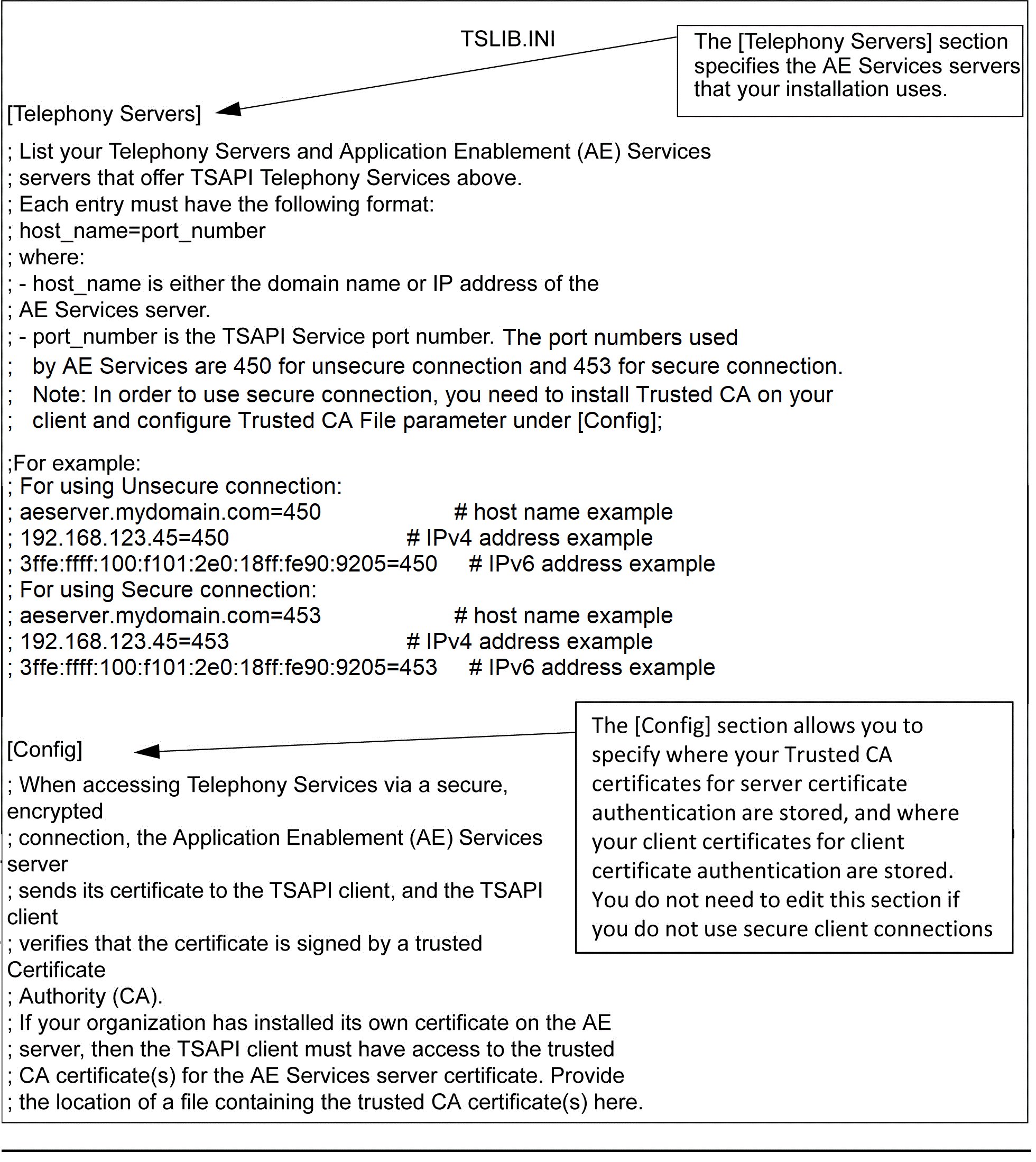
[Config]
Trusted CA File=<certificate_location>
Verify Server FQDN= 0
where:
The trusted CA File is the label for the file specification. The equal sign (=) is a separator between the label and the file specification.
certificate_location is the full pathname of a file containing the certificates for your trusted CA in Privacy Enhanced Mail (PEM) format. For example,
C:\Program Files\Avaya\AE Services\TSAPI Client\certs\ca\ExampleCorpServCert.cer
Note:The specified file might contain several certificates.
Verify Server FQDN is a setting that determines whether the TSAPI client verifies the Fully Qualified Domain Name (FQDN) in the Server Certificate for added security.
Note:This setting must be set to 0 when the AE Services Server is using the Avaya self-signed certificate.
If you want the client to check the certificate for the FQDN, you can use the Verify Server FQDN=1 setting. Otherwise, you can use the Verify Server FQDN=0 setting.
You must add statements to the tslib.ini file that specify the location and or password of the client keystore only if:
The TSAPI Service is configured to perform client certificate authentication
You are not using the predefined location for the client keystore that is, the tsapiClient.pfx file
If the client keystore is password protected
[Config]
Client KeyStore=<keystore-location>
KeyStore Password=<keystore-password>
where:
The Client KeyStore setting specifies the full pathname of a PKCS12 (Public-Key Cryptography Standards #12) keystore containing the client certificate that the TSAPI client must send to the TSAPI Service. For example: Client KeyStore=C:\Program Files (x86)\Avaya\AE Services\TSAPI Client\certs\myKeystore.pfx
The KeyStore Password setting specifies the password of the client keystore. For example: KeyStore Password=p@ssWord!
If the client keystore does not have a password, then this configuration setting is not needed.
Note:
The client's shared certificate must have the following values to establish a secure connection from a TSAPI client to the AE Services server:
Key Usage: Digital Signature, Non-repudiation, Key encipherment
Extended Key Usage: clientAuth
Note:Extended Key Usage is an optional field, it must have the mentioned value only if it is present in the certificate configuration.
The connection will be dropped if the certificate does not meet the above criteria.