

AVAYA DOCUMENTATION CENTER
Find answers to your technical questions and learn how to use our products
Avaya GIS Customer Documentation Standards
Drop-down menu or list
Description
A drop-down list typically has an arrow that you click to see the list of available options. Select the appropriate option from the list. Unlike a drop-down list, a menu is a navigational element.
Usage
Always hyphenate drop-down and use it as an adjective where required for clarity. Do not use this word as a verb.
For clarity, use drop-down as an adjective in the following situations:
-
To describe an unlabeled menu. In this case, including drop-down as an adjective can help the user to easily identify the menu you are describing, especially in a crowded interface.
-
To identify a drop-down list on a page or window with multiple different types of elements.
-
To identify a drop-down list that is not clearly marked with an arrow in the UI. For example, if the list looks like a field or text box, explicitly indicating that it is a drop-down list will help the user understand how to use the element.
You do not need to include drop-down in the following situations:
-
To describe a menu in a simple navigation pane. For example, when describing the menus at the top of an application.
-
To describe a clearly-marked list that is easy to see in the interface.
Images
The following is an example of an unlabeled menu:
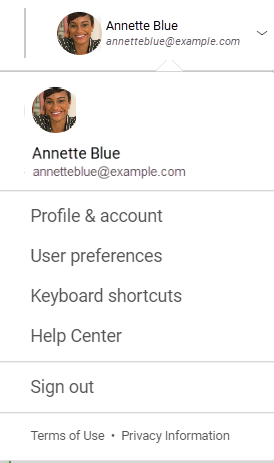
You see your profile name next to the menu, but the menu does not have a name or title in the UI. Describe this as a drop-down menu to help the user identify it.
The following image shows a window with simple content and few options:
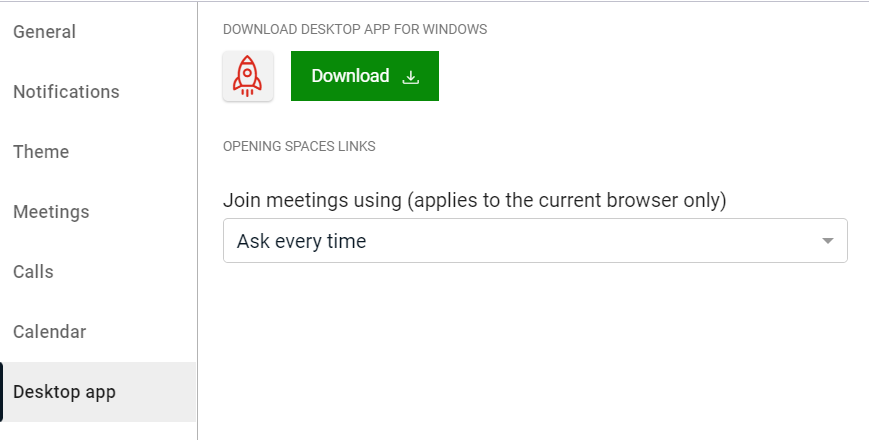
On the Desktop app tab, the list is clearly marked with an arrow, so do not include the adjective drop-down.
|
Examples
|
|---|
|
From the drop-down menu with your profile name, click User preferences.
|
|
Select one of the following options from the Join meetings using list:
|
|
On the File menu, click New to create a new document.
|