

AVAYA DOCUMENTATION CENTER
Find answers to your technical questions and learn how to use our products
Deploying MS Teams Direct Routing with IP Office
Create the TLS Server Profiles
Define the TLS server profiles for the IP Office and MS Teams connections.
Before you begin
Procedure
- Click Add and create a TLS server profile for the IP Office.
- The TLS server profile setting for the IP Office system will look like the following example:
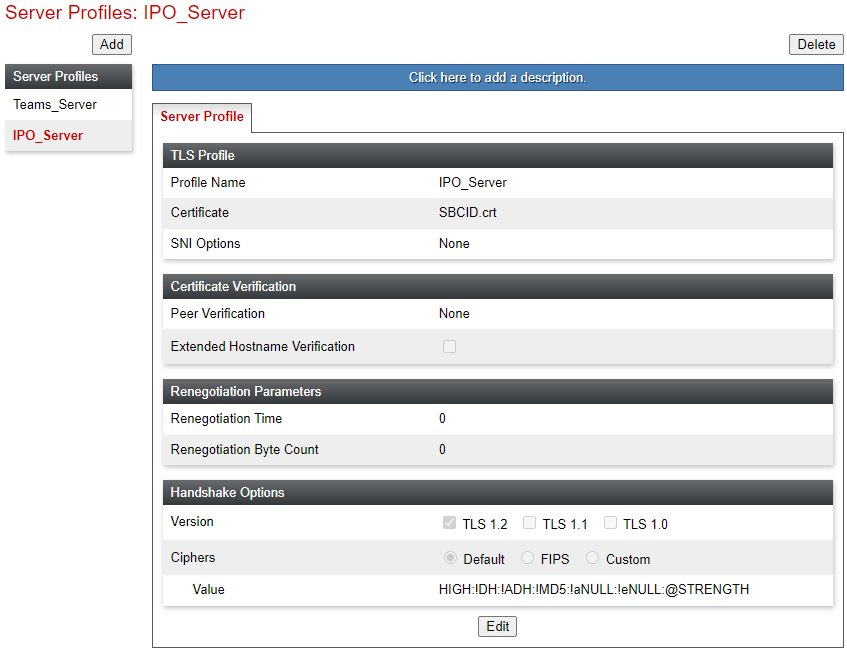
- The TLS server profile setting for the IP Office system will look like the following example:
- The TLS server profile setting for MS Teams will look like the following example:
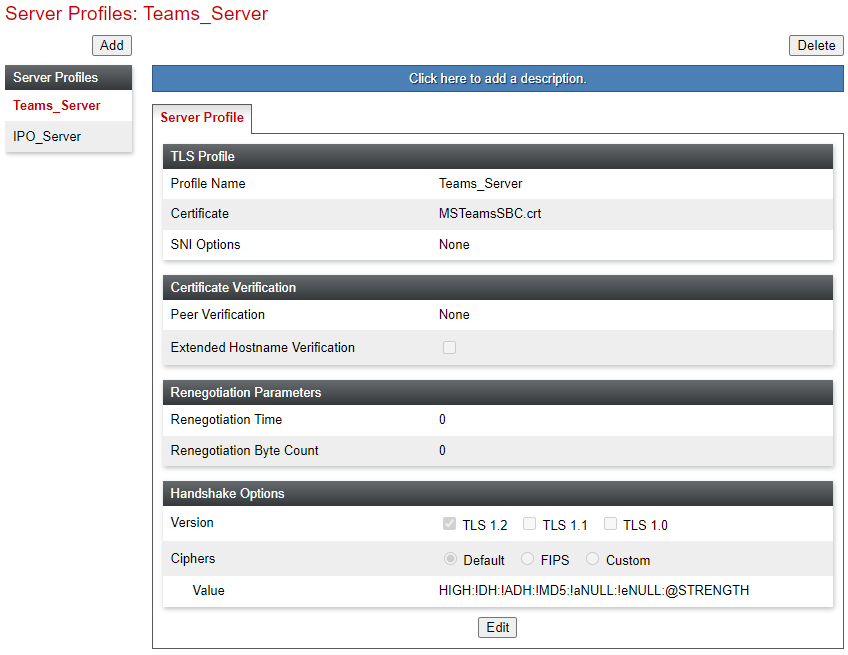
Next Steps
Proceed to Create a SIP Server for the IP Office.