

AVAYA DOCUMENTATION CENTER
Find answers to your technical questions and learn how to use our products
Deploying MS Teams Direct Routing with IP Office
Creating a Voice Routing Policy
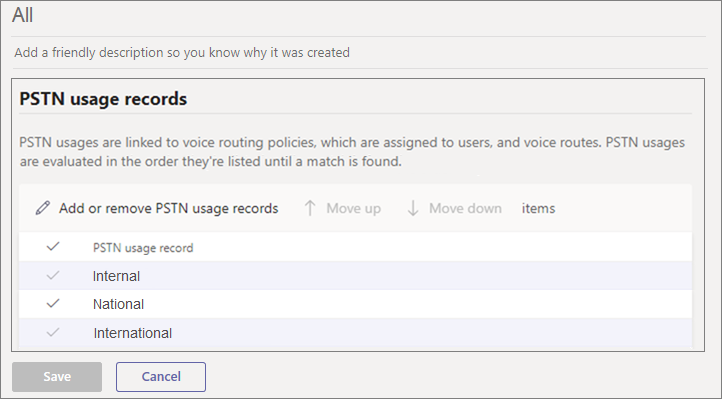
For direct routing, each MS Teams user is associated with a Voice Routing Policy. That policy contains PSTN usage records. Each of these usage records defines a number pattern that MS Teams checks for a match to the user dialing.
Procedure
- If necessary, select Voice and then Voice routing policies.
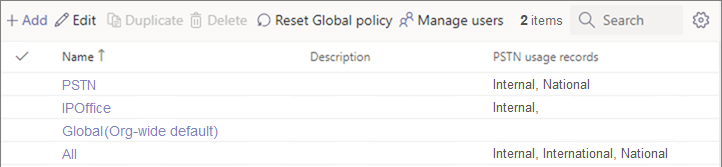
- Select Add to add a new policy. Otherwise, select an existing policy and click Edit.
Next Steps
Proceed to Assigning a Voice Routing Policy to a User.