

AVAYA DOCUMENTATION CENTER
Find answers to your technical questions and learn how to use our products
Deploying MS Teams Direct Routing with IP Office
Create the Endpoint Policy Groups
The ASBCE uses endpoint policy groups to group endpoint policy sets.
Before you begin
Procedure
- Select Domain Policies and then Endpoint Policy Groups.
- Create an endpoint policy for the IP Office:
- Set the Media Rule to the media rule previously created for the IP Office connection.
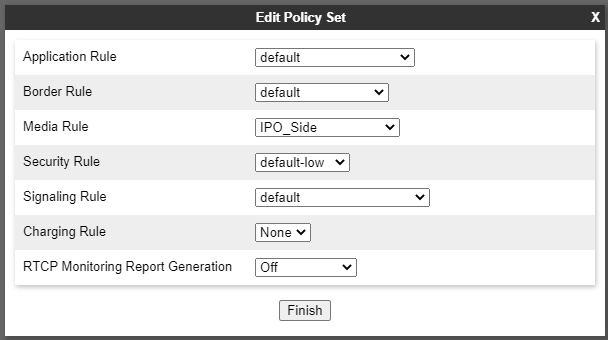
- Set the Media Rule to the media rule previously created for the IP Office connection.
- Create an endpoint policy for MS Teams:
- Set the Media Rule to the media rule previously created for the MS Teams connection.
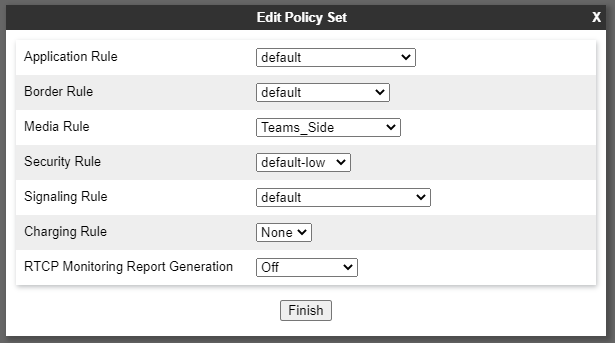
- Set the Media Rule to the media rule previously created for the MS Teams connection.
Next Steps
Proceed to Create the SIP Signaling Interfaces.