

Viewing AIDE logs in the Kibana logging interface

Last Updated : Jul 15, 2022 |

About this task

You can use the Kibana logging interface to view AIDE logs from the Elasticsearch server. Currently, the Kibana interface displays AIDE logs for cluster nodes. You cannot use this procedure to view AIDE logs from Cluster Control Manager.

Before you begin

  • Ensure that file integrity validation is enabled. By default, the file integrity validation software runs every day at 3:00 a.m.

  • Ensure that you know how to create index patterns in Kibana.

Procedure

  1. Log in to Kibana using the URL https://<cluster-FQDN>/logging.
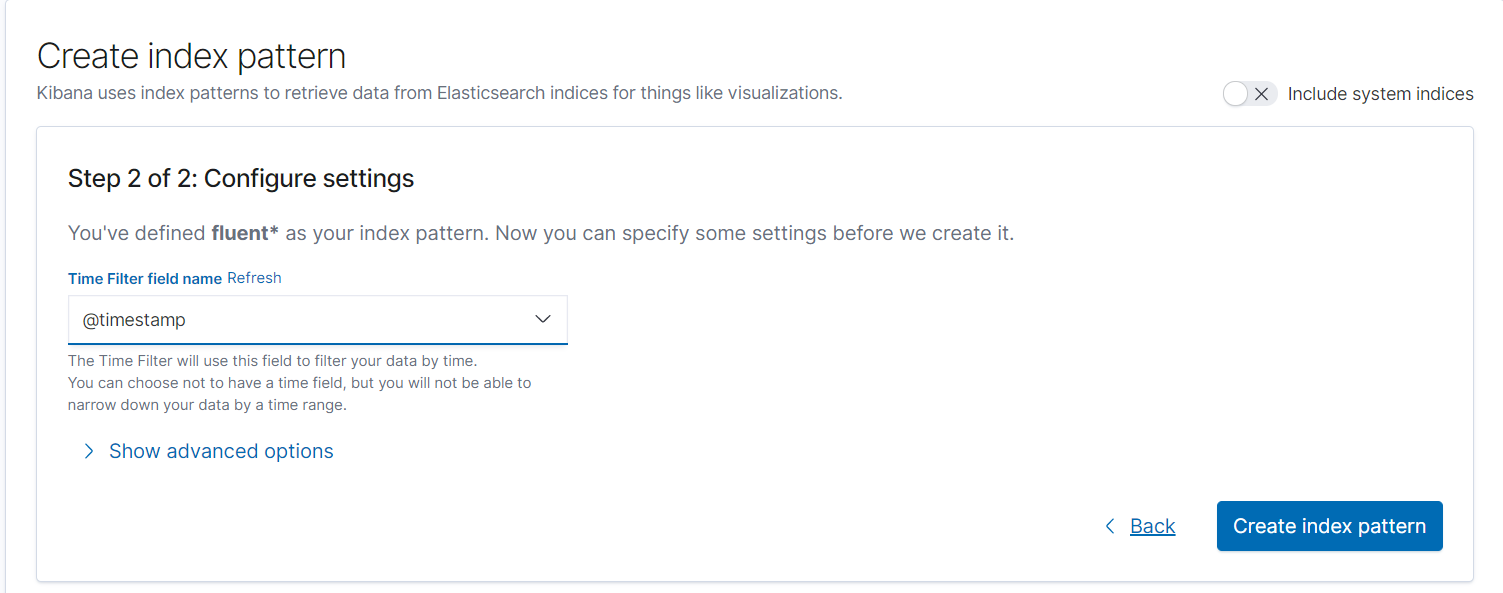
  2. Create an index pattern called fluent-k8saudit* if one does not already exist.

    From the Time Filter field name drop-down menu, ensure that you select @timestamp and then click Create index pattern to complete the process.


  3. Open the Discover view by clicking on the left side of the screen.
  4. To view AIDE logs from all servers, do the following:
    1. Type tag_all:(k8saudit.instanceaide) in the Search field.
    2. Select a time range.
  5. To view AIDE logs for specific servers, do the following:
    1. Run the k get nodes -o wide command and find your host IP addresses in the INTERNAL-IP column.
      [root@flex-140 ~]# k get nodes -o wide
      NAME                    STATUS   ROLES               AGE     VERSION   INTERNAL-IP      EXTERNAL-IP   OS-IMAGE                               KERNEL-VERSION                 CONTAINER-RUNTIME
      flex-143.dr.example.com   Ready    controller-worker   5d14h   v1.22.2   192.0.2.143   <none>        Red Hat Enterprise Linux 8.5 (Ootpa)   4.18.0-348.20.1.el8_5.x86_64   containerd://1.5.7
      flex-144.dr.example.com   Ready    controller-worker   5d14h   v1.22.2   192.0.2.144   <none>        Red Hat Enterprise Linux 8.5 (Ootpa)   4.18.0-348.20.1.el8_5.x86_64   containerd://1.5.7
      flex-145.dr.example.com   Ready    controller-worker   5d14h   v1.22.2   192.0.2.145   <none>        Red Hat Enterprise Linux 8.5 (Ootpa)   4.18.0-348.20.1.el8_5.x86_64   containerd://1.5.7
      
  6. Optional To filter logs by their messages, select message from the list of available fields and then click add.