

AVAYA DOCUMENTATION CENTER
Find answers to your technical questions and learn how to use our products
Avaya Subscription Reference
Obtaining the Access key and Secret key
After your Avaya OneCloud™ Subscription system order is processed in the Avaya One Source ordering portal, Avaya sends a notification email confirming your order fulfillment to your registered technical contact. After you receive the notification email, you must create a service request with Avaya to obtain your Access key and Secret key.
These keys are required to configure connectivity between the Usage Metering Collector and Avaya back-office systems.
- Log on to https://support.avaya.com by using your Avaya credentials.
- Under Service/Parts Request, click Create Service Request.
- On the Create a Service Request page, do the following:
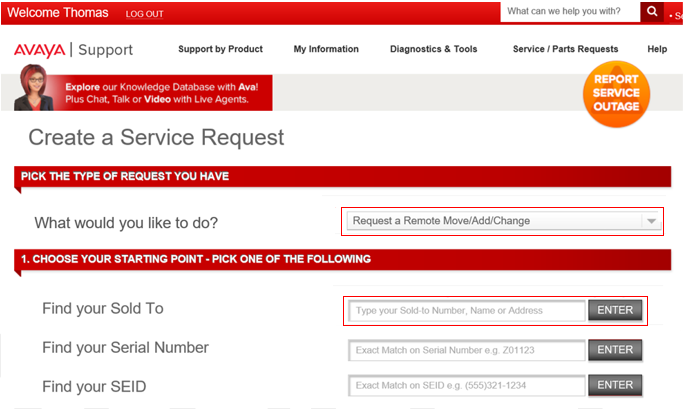
- In the What would you like to do? field, click Request a Remote Move/Add/Change.
- In the Find your Sold To field, type the Sold To number where Usage Metering will be installed, and then click ENTER.
ADDITIONAL INFORMATION:
 The system displays the list of products that are associated with the Sold To number, if any.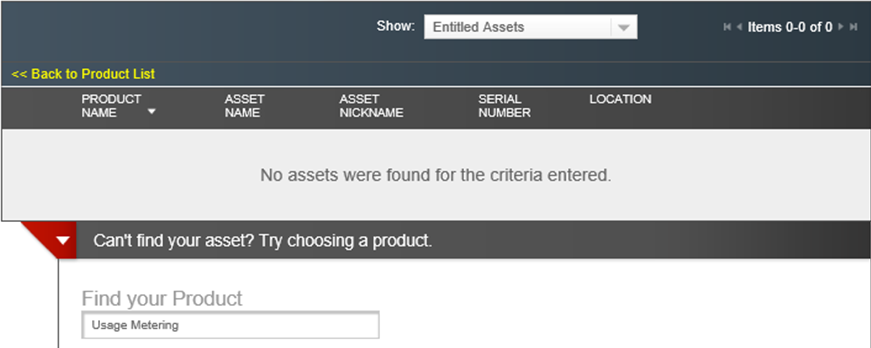
- Click Can’t find your asset? Try choosing a product.
- In the Find your Product field, type Usage Metering.
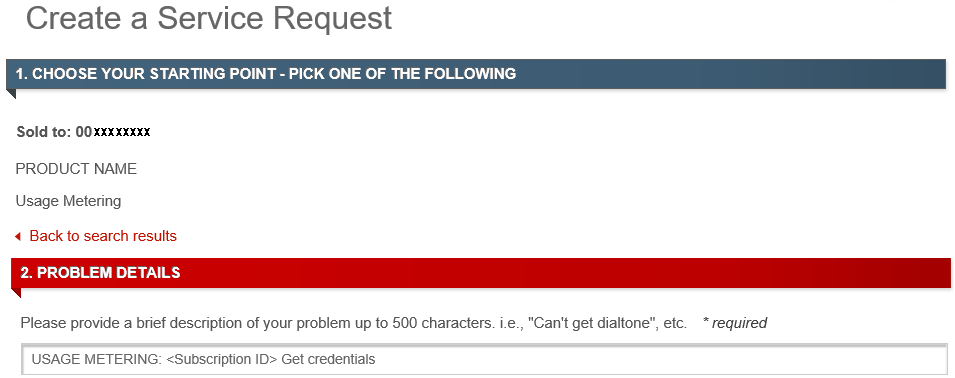
ADDITIONAL INFORMATION:The system displays the Create a Service Request page.
- Do the following:
- In the PROBLEM DETAILS area, provide the description in the following format:
ADDITIONAL INFORMATION:USAGE METERING: <Subscription ID>. Get CredentialsPlease provide <Subscription ID> with our credentials to complete our Collector Configuration.
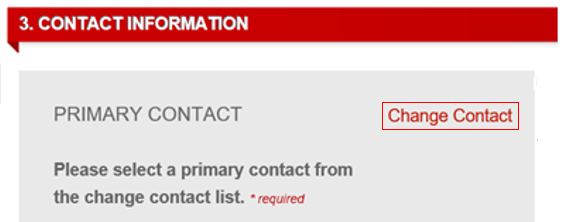
- In the Contact Information area, specify the primary contact to whom Avaya must mail the Access key and Secret key.
ADDITIONAL INFORMATION:
- In the PROBLEM DETAILS area, provide the description in the following format:
- Click Submit.
Result
Avaya processes your service request and sends an email containing the Access key and Secret key to your primary contact.