

AVAYA DOCUMENTATION CENTER
Find answers to your technical questions and learn how to use our products
IP Office Platform H.323 Telephone Installation
Enabling Telephone Quality Reporting
Enabling RTCP call quality reporting from phones is done centrally from the system settings.
- Using IP Office Manager, retrieve the configuration from the system.
- Select
 System
 - Select the LAN1 or LAN2 tab depending on which of the system's LAN interfaces you want to use to support H.323 extensions.
- Select the VoIP sub-tab.
ADDITIONAL INFORMATION:
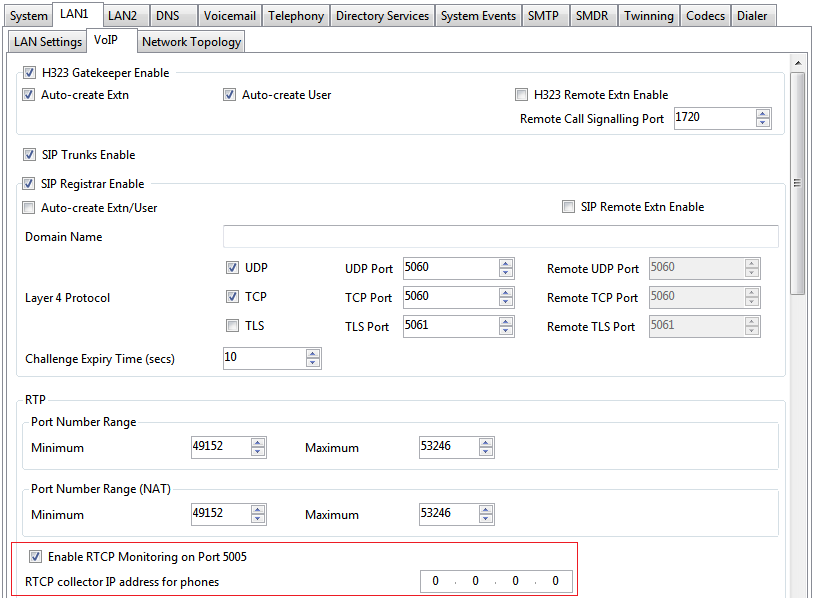
- Enable Enable RTCP Monitoring on Port 5005 checkbox.
ADDITIONAL INFORMATION:By default the RTCP data is sent to the IP Office system. enter the address in the RTCP collector IP address for phones for phones field send data to a specific address for collection by a third-party QoS monitoring application.
- Save the configuration.