

Enabling or disabling spanning tree

Last Updated : Aug 09, 2018 |

Procedure

  1. On the P330 stack processor, open a telnet session using the serial cable connected to the Console port of the G4XX.
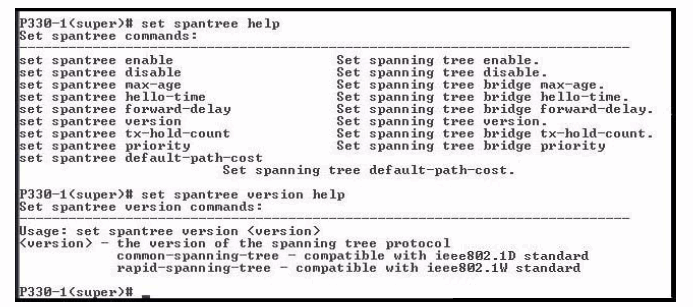
  2. At the P330-x(super)# prompt, type set spantree help and press Enter.

    The system displays the Set spantree commands screen.

    Figure : 1 shows the full set of Spanning Tree commands.

    Figure : 1. Set Spantree commands


  3. To enable Spanning Tree, type set spantree enable and press Enter.
  4. To set the version of Spanning Tree, type set spantree version help and press Enter.

    The system displays the selection of Spanning Tree protocol commands.

  5. To set the rapid spanning tree version, type set spantree version rapid-spanning-tree and press Enter.

    The 802.1w standard defines the default path cost for a port different from STP (802.1d). To avoid network topology change when migrating to RSTP, the STP path cost is preserved when changing the spanning tree version to RSTP. You can use the default RSTP port cost with the set port spantree cost auto command.

    Note:

    Avaya P330s now support a Faststart or Portfast function because the 802.1w standard defines the support for these functions. An edge port goes to a device that cannot form a network loop. To set an edge port, type set port edge admin statemodule/port edgeport.

    For more information about the Spanning Tree CLI commands, see the Avaya P330 User’s Guide at http://support.avaya.com.