

AVAYA DOCUMENTATION CENTER
Find answers to your technical questions and learn how to use our products
Avaya Aura Communication Manager Reports
Determining the number of trunks required for a specified Grade of Service
For both stand-alone and last-choice trunk groups, use the trunk group peak traffic reports to determine the number of trunks required to provide a specified Grade of Service. The number of trunks required strictly depends on the Grade of Service you want to provide.
Note:
Stand-alone and last-choice trunk groups do not reroute their blocked calls. As a contrast, Alternate Routing trunks do reroute their blocked calls.
The procedure for determining the optimal number of trunk members for a particular trunk group requires you initially generate the appropriate reports and subsequently record the data on the Trunk Group Data Worksheets. What you attempt to accomplish is to identify the peak hour and the traffic data for that hour. The list measurements trunk-group summary yesterday-peak scheduled command results in generating all of the necessary data on a daily basis. You can enter 20 weekdays of data on each Trunk Group Data Worksheet. Subsequently, you need only scan the worksheet to identify which measurement hour occurs most frequently. The most frequent measurement hour is considered the peak hour. You should use the data for the identified peak hour, that has the highest total usage, to calculate the required number of trunks.
Example 1:
Assumptions
-
You obtain data (daily) and record that data on appropriately identified Trunk Group Data Worksheets.
-
1300 is the peak hour (or bouncing peak hour).
-
Trunk Group 1 is suspected of not providing the desired Grade of Service.
For two-way trunk groups the equation for determining Calls Carried is as follows:
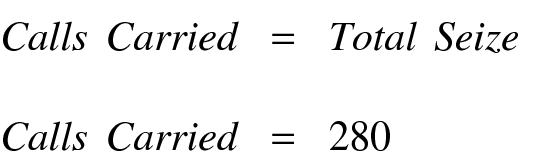
For Trunk Groups Without a Queue

For Trunk Groups With a Queue

Since Trunk Group 1 has a queue, the equation for Calls Offered is as follows:
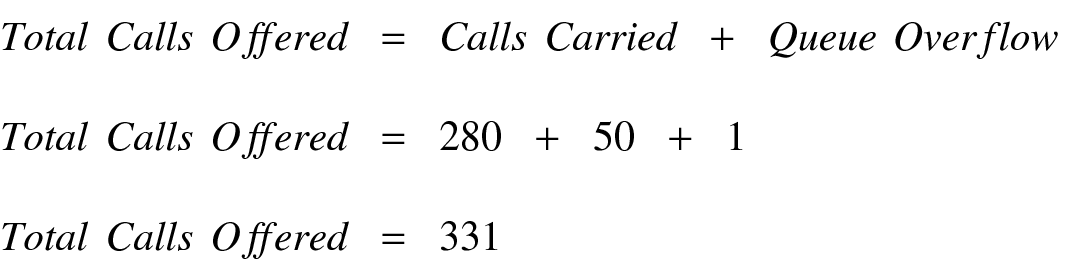
The Average Holding Time is determined as follows:
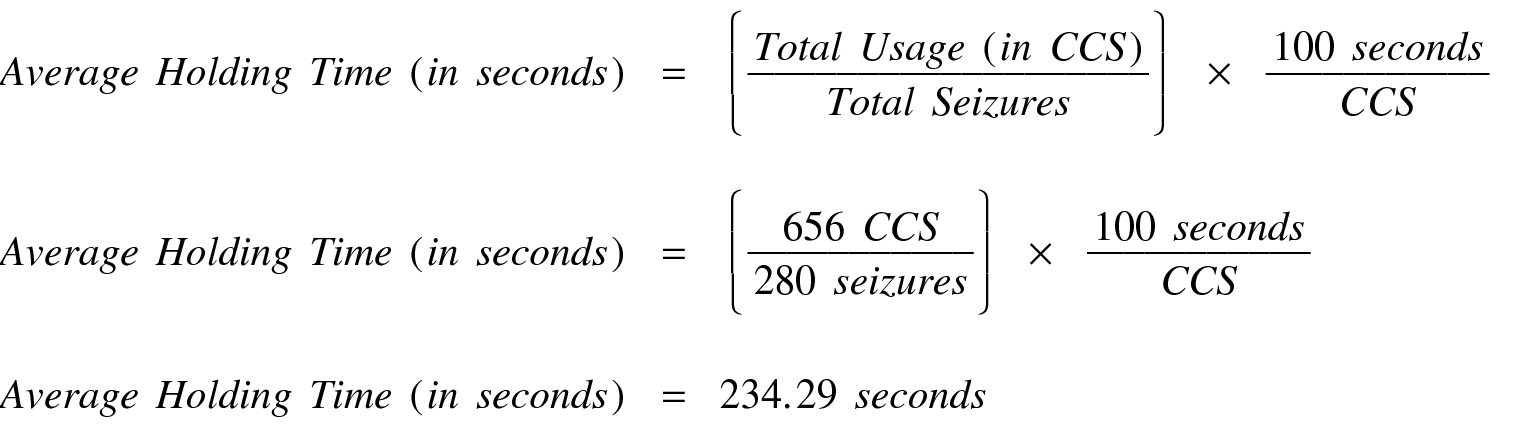
Offered Load is defined as the number of calls in progress if there had been no blocking or delay. The Offered Load is calculated as follows:
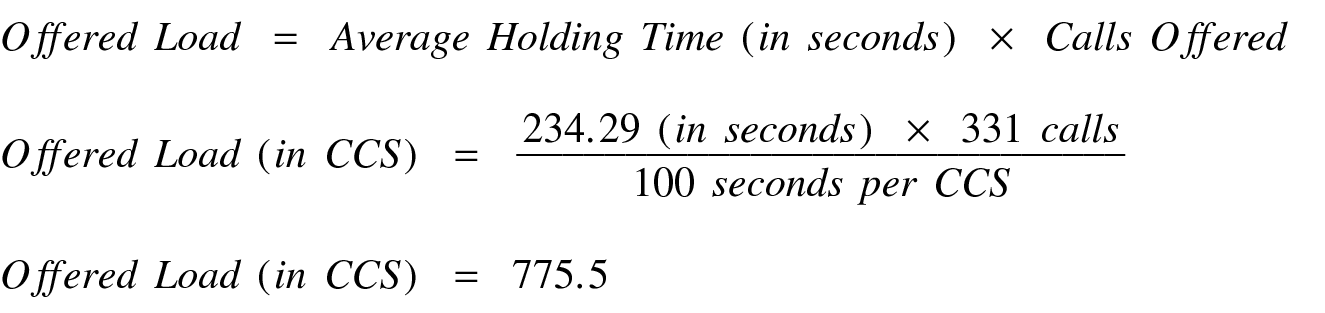
The calculated Offered Load is used with the Retrial Capacity tables, to determine the number of trunks required to provide a specified Grade of Service. For more information, refer to Basic Traffic Analysis.
The desired Grade of Service is dependent on the particular trunk type (for example, CO, did, tie, FX, WATS, and so on) and the nature of the business the trunk type supports. Generally, those trunk types that are least expensive (for example, CO) are engineered for a 1 percent (P.01) Grade of Service. Those trunk types that are more expensive are engineered to provide from 2 percent to 5 percent (P.02 to P.05) Grade of Service.
Note:
A one percent Grade of Service means the fraction of calls blocked during the identified bouncing peak hour should not exceed 1 percent.
Assuming we desire a P.01 Grade of Service on Trunk Group 1, for the calculated Offered Load of 775.5 CCS, the Retrial Capacity tables in Basic Traffic Analysis indicate (under the column heading GROUP SIZE) 32 trunks are required.
The number of currently functioning (or in service) trunks is calculated as follows:
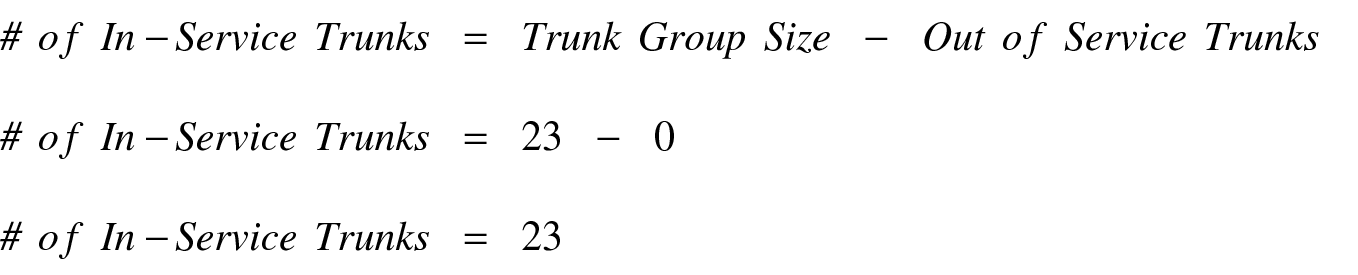
Therefore, since 32 trunks are required but only 23 are currently in service, nine additional trunks must be added to obtain the desired Grade of Service.
Example 2:
Assumptions
-
You obtain data (daily) and record that data on appropriately identified Trunk Group Data Worksheets.
-
1300 is the peak hour (or bouncing peak hour).
-
Data on trunk group 4 indicates a higher than desired percentage of outgoing blockage.
For one-way outgoing trunk groups, the equation for determining Calls Carried is as follows:
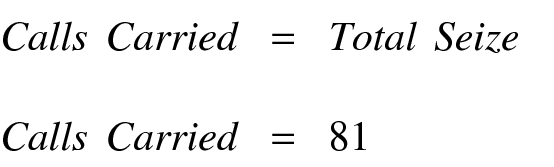
Since Trunk Group 4 does not have a queue, the equation for Calls Offered is as follows:

The Average Holding Time is determined as follows:
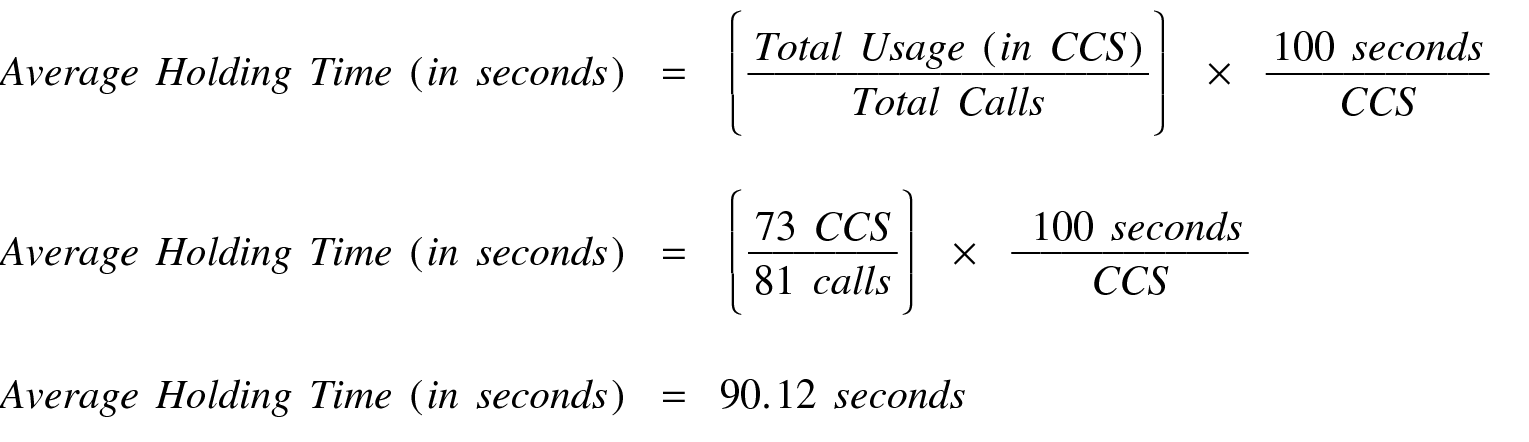
Offered Load is defined as the number of calls in progress if there is no blocking or delay. The Offered Load can be calculated as follows:
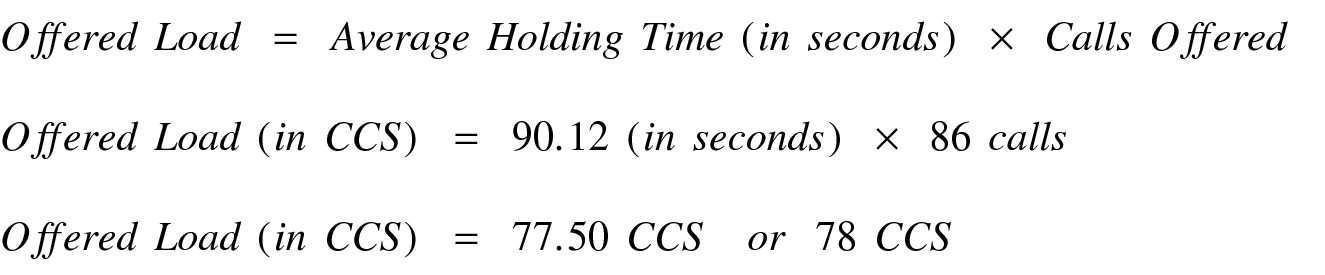
The calculated Offered Load is used, with the Retrial Capacity tables, to determine the number of trunks required to provide a specified Grade of Service.
Assuming we desire a P.03 Grade of Service on Trunk Group 4, then for the calculated Offered Load of 78 CCS the Retrial Capacity tables in Basic Traffic Analysis indicate (under the column heading GROUP SIZE) six trunks are required. The number of currently functioning (or in-service) trunks is as follows:
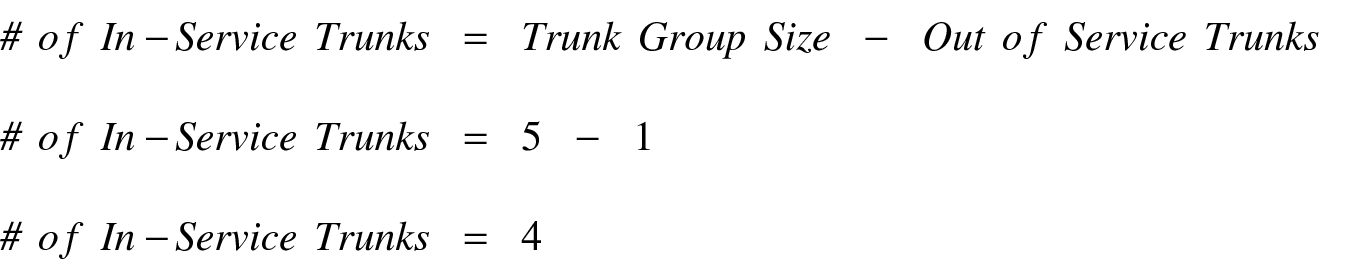
Therefore, since six trunks are required but only four are currently in-service, two additional trunks are needed to obtain the desired Grade of Service. The obvious options are have the out-of-service trunk repaired and just add one new trunk, or add two new trunks.
Example 3:
Assumptions
-
You obtain data (daily) and record that data on appropriately identified Trunk Group Data worksheets.
-
1300 is the peak hour (or bouncing peak hour).
-
That Trunk Group 2 indicates a higher % ATB than desired.
Incoming trunk groups do not have queues. Therefore, from the switch perspective you cannot determine the number of calls blocked. But, in this case Total Usage is actually the Carried CCS. You can use the Carried CCS, with the Retrial Capacity tables, to determine the number of trunks required to provide a specified Grade of Service.
Assuming you desire a P.05 Grade of Service on trunk group #2, then for a Carried CCS of 201 CCS the Retrial Capacity tables indicate (under the column heading GROUP SIZE) 10 trunks are required. The number of currently functioning (or in-service) trunks is as follows:
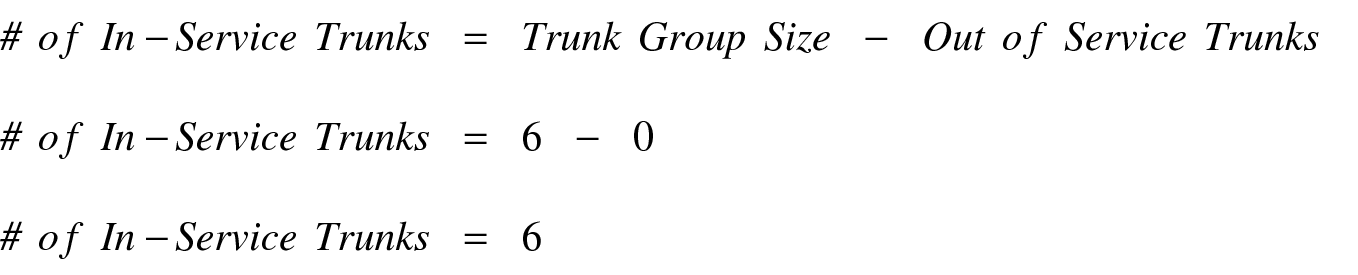
Therefore, since 10 trunks are required but only 6 are currently in-service, four additional trunks are needed to obtain the desired Grade-of-Service. The solution is to add four trunk members to the trunk group.