

AVAYA DOCUMENTATION CENTER
Find answers to your technical questions and learn how to use our products
Administering Avaya Breeze® platform
Importing the LDAP Server certificate into Avaya Breeze® platform cluster
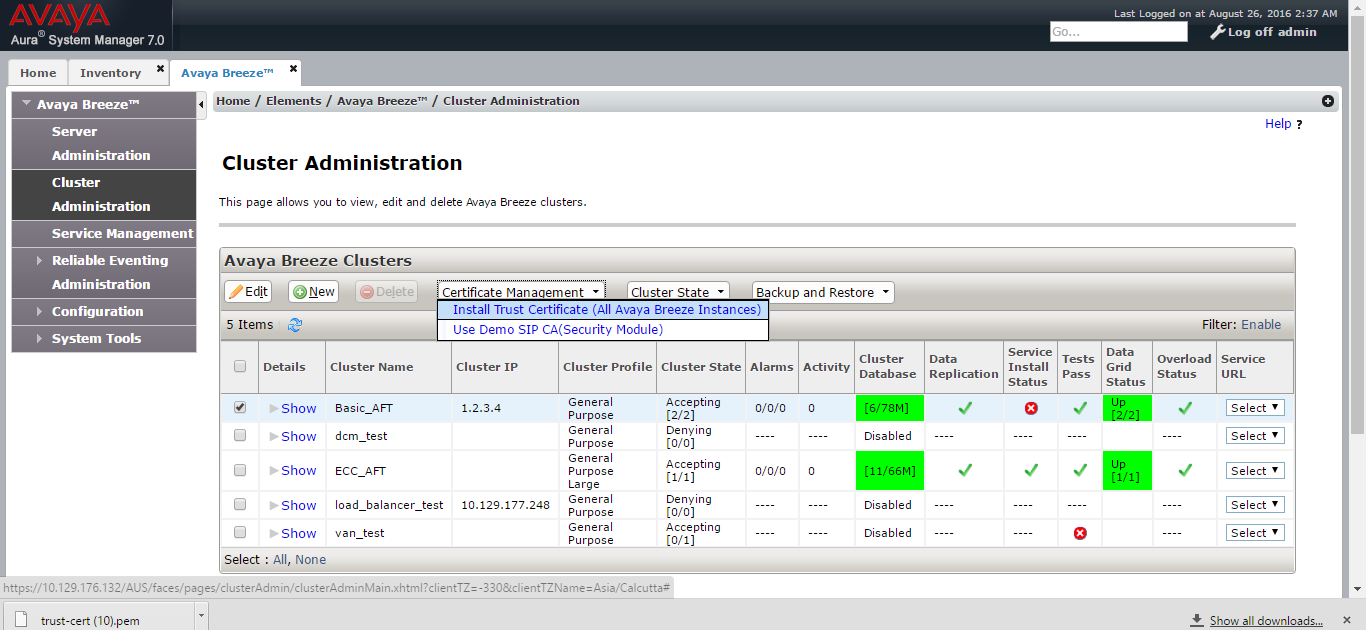
- In System Manager, click .
- Click Cluster Administration.
- Select the cluster which has the Authorization Service snap-in instance and click .
STEP RESULT:The system displays the Install Trusted Certificate page.
- Click Add.
ADDITIONAL INFORMATION:
- In the Store Type to install trusted certificate field, select WEBSPHERE.
- Provide the path of LDAP trusted certificate which was exported earlier.
- Click Retrieve Certificate.
ADDITIONAL INFORMATION:
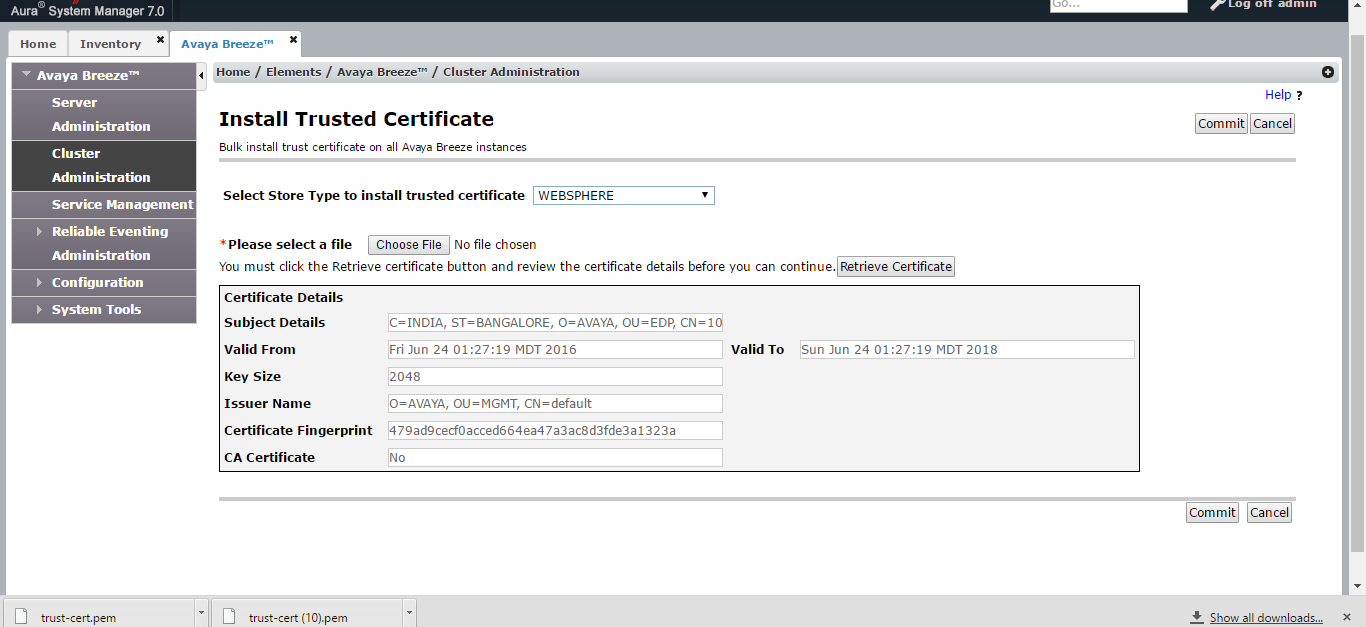
- Click Commit.