

AVAYA DOCUMENTATION CENTER
Find answers to your technical questions and learn how to use our products
Administering Avaya Breeze® platform
Backup and Restore drop-down menu descriptions
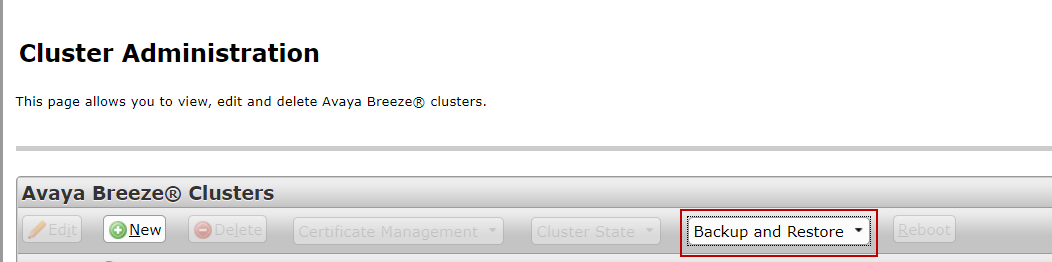
This section describes the options available from the Backup and Restore drop-down menu on the Cluster Administration page, which you can access on System Manager under .
The following image shows the location of this drop-down menu:
|
Name
|
Description
|
|---|---|
|
Backup
|
Starts the backup process on the selected cluster.
|
|
Restore
|
Starts the restore process.
|
|
Configure
|
Configures the backup server location.
|
|
Job Status
|
Displays the status of the backup or restore operations.
|
|
Cancel
|
Cancels the pending and in-progress jobs.
|
|
Purge
|
Purges the completed backups.
|