AVAYA DOCUMENTATION CENTER
Find answers to your technical questions and learn how to use our products
Administering Avaya Breeze® platform
Installing and configuring Active Directory
- Log in to Windows server to enable SSL on Active Directory.
- Go to Server Manager Tool by typing server manager in search program and files.
ADDITIONAL INFORMATION:
 ADDITIONAL INFORMATION: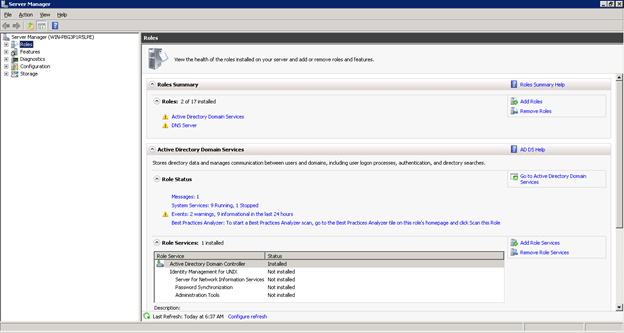
- Click Add Roles in the Roles Summary section.
ADDITIONAL INFORMATION:
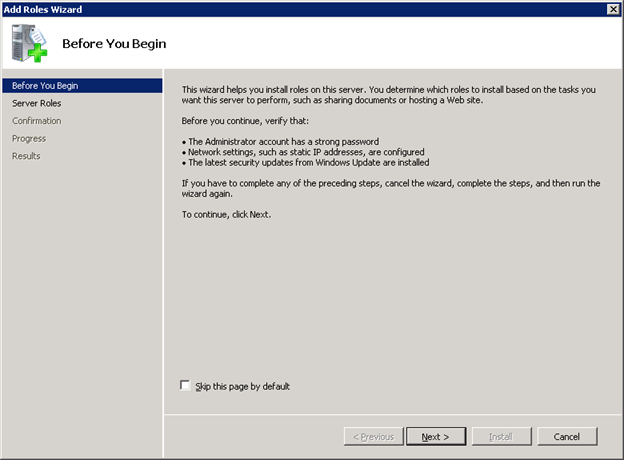
- Click Next to proceed further to install Active Directory Certificate Services.
ADDITIONAL INFORMATION:
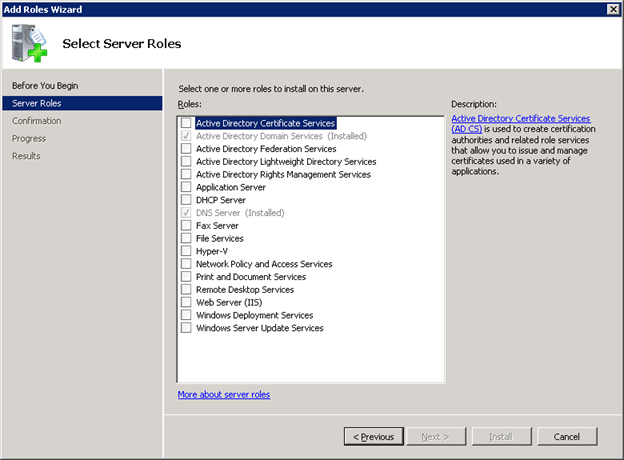
- Click the Active Directory Certificate Services check box.
- Click Next.
ADDITIONAL INFORMATION:
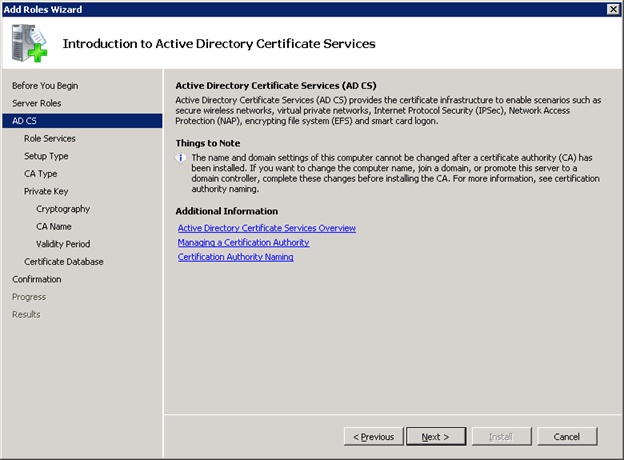 This window provides the introduction to Active Directory Certificate Services.
 - Click Next.
ADDITIONAL INFORMATION:
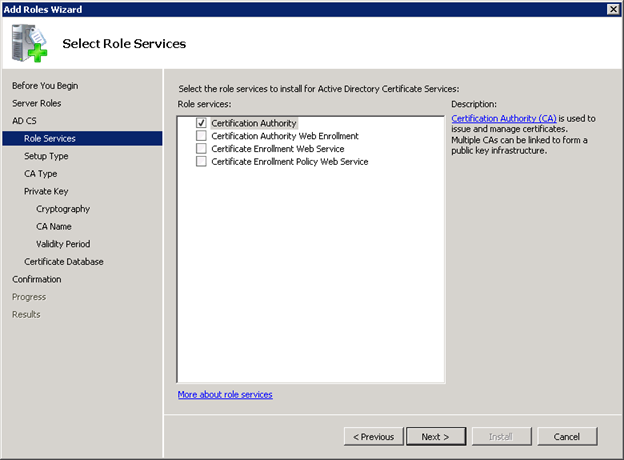 By default the first check box will be enabled.
 - Click Next.
ADDITIONAL INFORMATION:This window specifies set up type for the role installation.
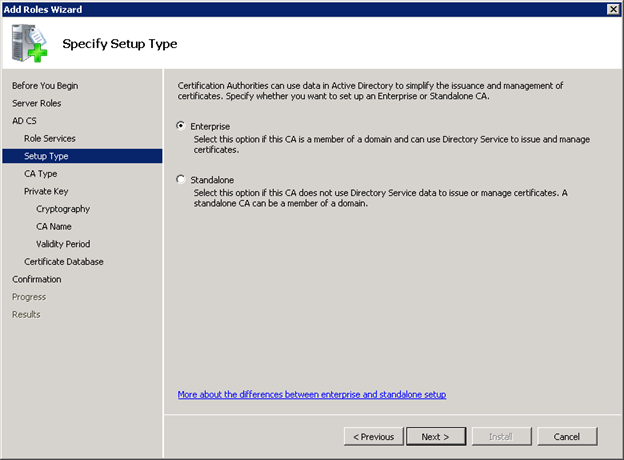
- Click Next.
ADDITIONAL INFORMATION:The next window focuses on CA type to create hierarchical public key infrastructure.
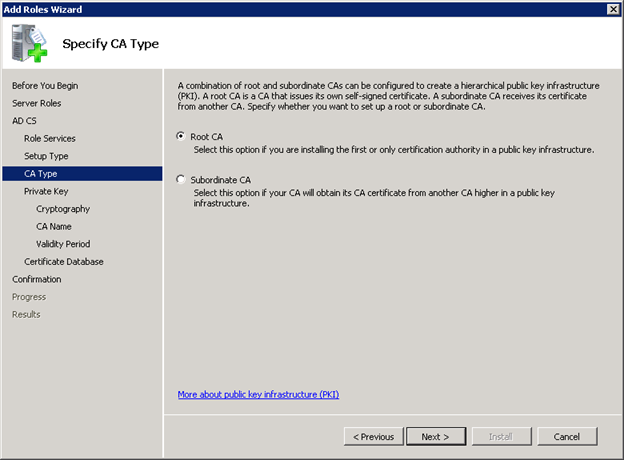
- Click Next.
ADDITIONAL INFORMATION:This window focuses on Private Key generation and issues certificate to clients.
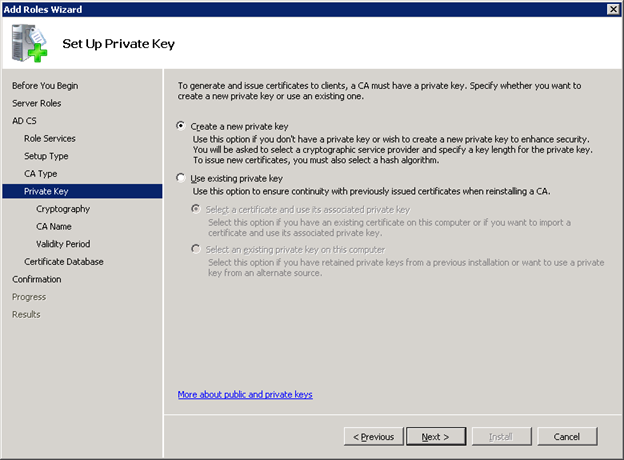
- Click Next.
ADDITIONAL INFORMATION:
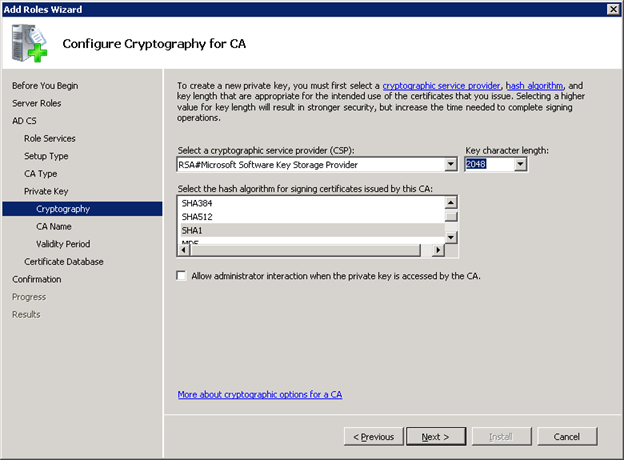
- Click Next.
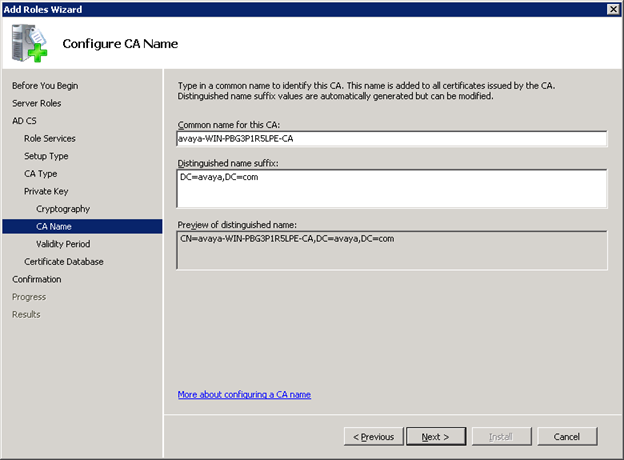
- Configure the CA name and click Next.
ADDITIONAL INFORMATION:
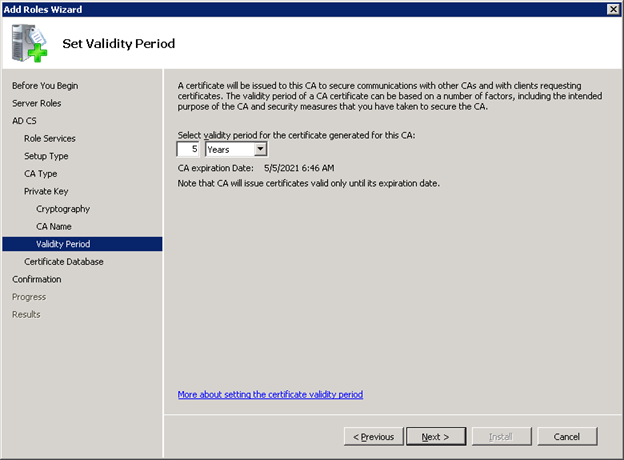
- Set the validity of the CA certificate, and click Next.
ADDITIONAL INFORMATION:
- Configure the Certificate database.
ADDITIONAL INFORMATION:
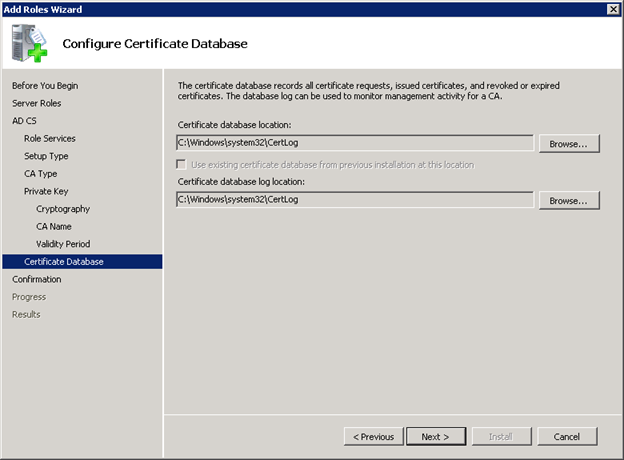
- Click Next.
ADDITIONAL INFORMATION:This window displays the complete summary to begin the installation.
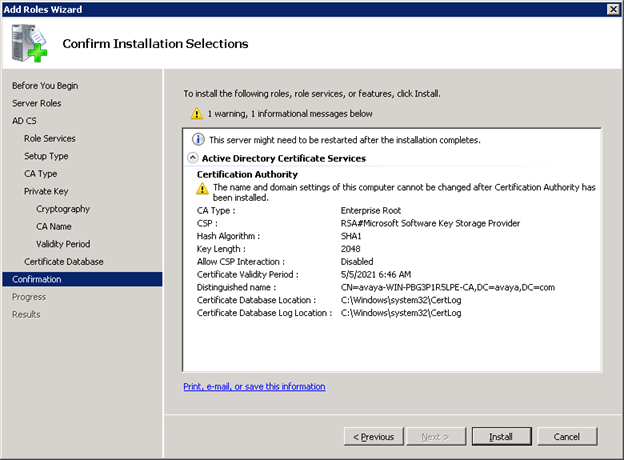
- Click Install.
ADDITIONAL INFORMATION:
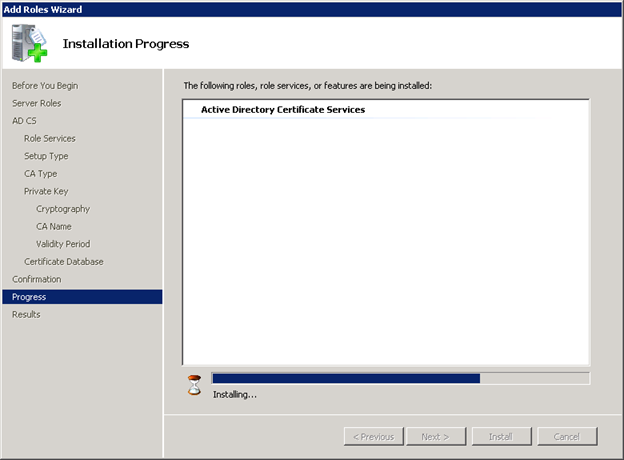 ADDITIONAL INFORMATION:After the installation is completed, the following window is displayed.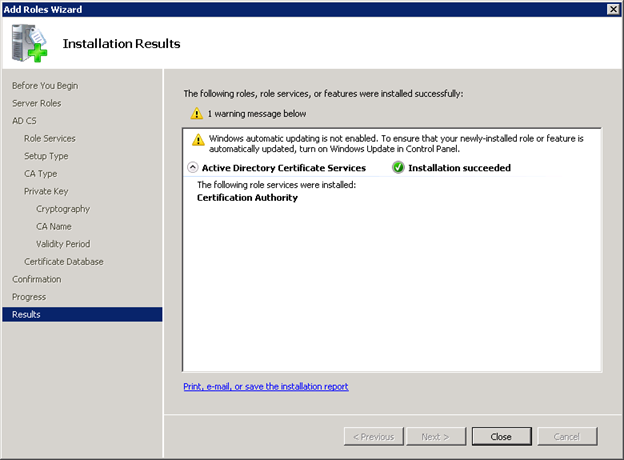
- In the Server Manager window, you can see that the Certificate service has been installed successfully.
ADDITIONAL INFORMATION:
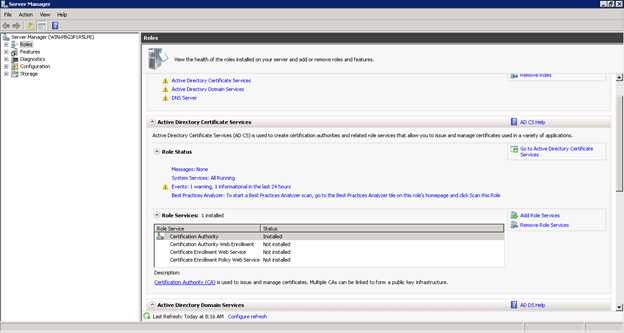 In the Role Services section, you can see the status of the service being shown as installed. After installation it is recommended to restart the Windows Server machine.
 - To check whether SSL is being enabled on Active directory, type ldp.exe in search programs and files.
ADDITIONAL INFORMATION:

- Go to connection menu and select Connect.
- In the Server field, specify domain name of server and in the Port field, enter the port number, and select the SSL check box to connect to Active Directory.
ADDITIONAL INFORMATION:
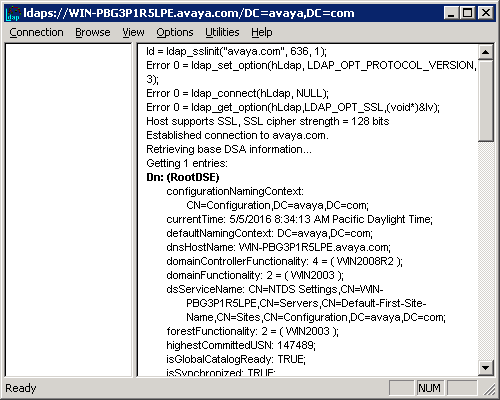
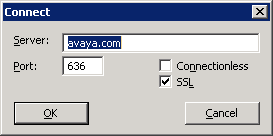 ADDITIONAL INFORMATION:Active Directory now supports SSL.