AVAYA DOCUMENTATION CENTER
Find answers to your technical questions and learn how to use our products
IP Office SIP Telephone Installation Notes
Configuring a SIP extension
This section looks just at the key configuration settings that affect SIP extensions. For full details of all the fields shown, refer to the Administering Avaya IP Office™ Platform with Web Manager.
- Using either IP Office Manager or IP Office Web Manager, load the system configuration.
-
If using IP Office Manager:
-
Select the system on which the extension record should be created.
-
Select
 .
.
-
-
If using IP Office Web Manager
-
Select .
-
Click +Add Extension.
-
Select SIP Extension and the system on which the extension record should be created and click OK.
-
-
- Configure the extension settings.
ADDITIONAL INFORMATION:
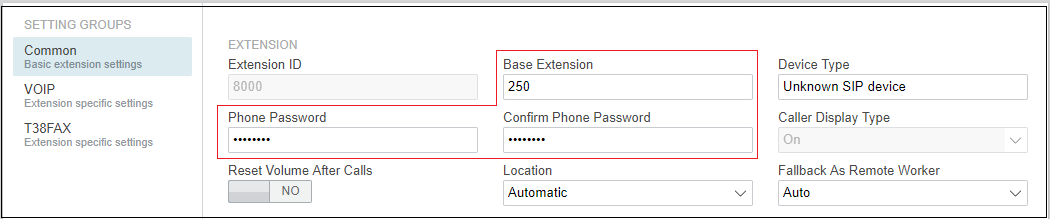
- Enter Base Extension.
ADDITIONAL INFORMATION:This should match the Extension setting of the SIP user added to the IP Office configuration.
- Enter a Phone Password. This password is used for the extension registration.
ADDITIONAL INFORMATION:Other:For J100 phones, the extension Phone Password must be used for initial registration of the telephone. - Enter Base Extension.
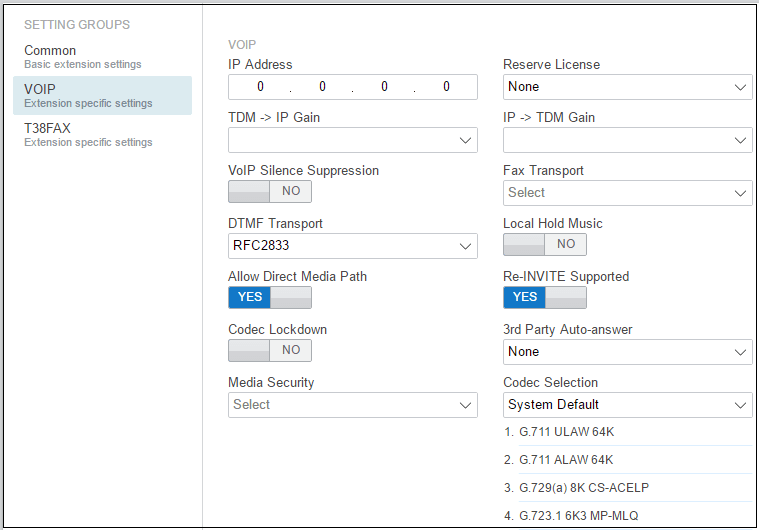
- Select VoIP. See SIP Extension Settings.
ADDITIONAL INFORMATION: