

AVAYA DOCUMENTATION CENTER
Find answers to your technical questions and learn how to use our products
IP Office SIP Telephone Installation Notes
Changing the system's SSON settings
When requesting address settings from a DHCP server, each phone also requests additional information that the DHCP server may have. It does this by sending a Site Specific Option Number (SSON) request. If the DHCP server has information matching the requested SSON, that information is included in the DHCP response.
By default, most Avaya SIP telephones use the SSON 242 to request additional information. Depending on the particular phone model, it may be possible to change the SSON number it uses.
- Using either IP Office Manager or IP Office Web Manager in offline mode, load the system configuration.
- Select or .
- Select LAN1 or LAN2 as required.
- Select the VoIP tab.
ADDITIONAL INFORMATION:
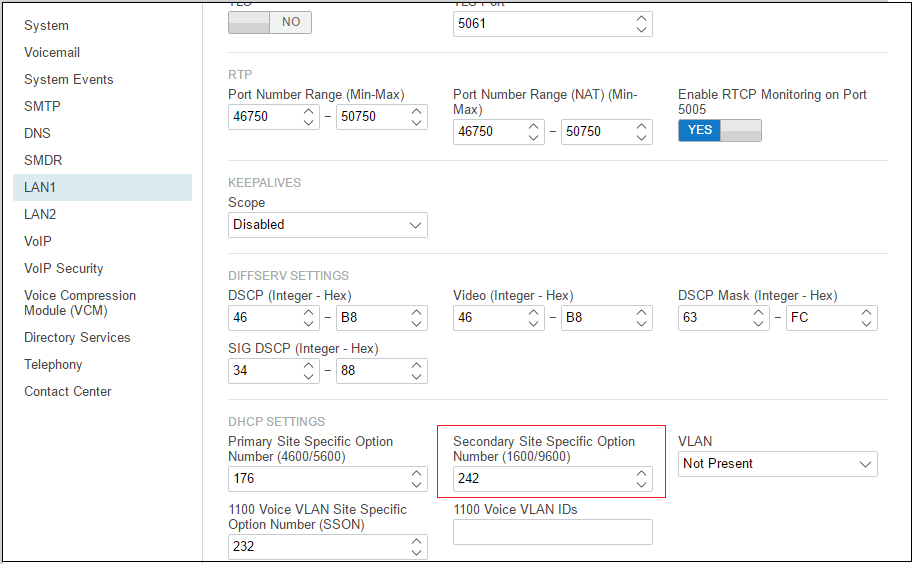
- Check that the site specific option number settings match those required for the phones being supported. The default for most Avaya SIP phones is 242.
- If this setting needs to be changed, save the configuration back to the system.