

AVAYA DOCUMENTATION CENTER
Find answers to your technical questions and learn how to use our products
Avaya CMS Supervisor Report Designer
Options
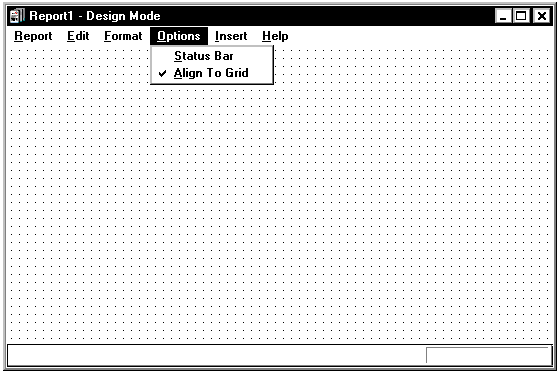
The following is a description of the Options menu.
Name |
Description |
|---|---|
Status Bar |
Include a status bar on the bottom of the report you want to design. A check mark next to the menu item means that you have selected Status Bar. |
Align to Grid |
Align the currently-selected items on the report to the Design Mode grid when they are moved. The Design Mode grid is the grid that is shown on the window behind any charts, tables, or text, when you are in Design Mode. Align to Grid is selected when there is a check mark next to the menu item. |