

AVAYA DOCUMENTATION CENTER
Find answers to your technical questions and learn how to use our products
Avaya CMS Supervisor Report Designer
The Field Format options window
Use the Field Format Options window to choose the formats for fields defined in queries. To open the Field Format Options window, select Field from the Format menu.
Example
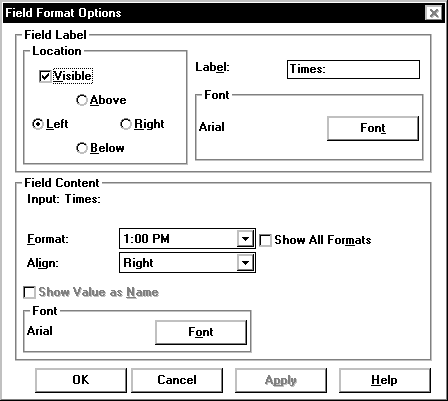
Field Format Options field descriptions
The Field Format Options window includes the following options:
Name |
Description |
|---|---|
Visible check box |
Allows to display or not display report legends. |
Location of legend as:
|
Allows you to select where the legend displays if you choose to display report legends. |
Label |
Enter a brief description of the field. For example, for a field that displays the name of the split/skill for which the report was run, you might label the field Split/Skill. |
Font (in the Field Label box) |
Opens the Font window, which allows you to change any of the font attributes for the field label. |
Format |
Provides a drop-down list to select the format which you want the value to be displayed. |
Align |
Allows you to select the alignment of a field or column in a table. Available options for alignment are left, right, and center. |
Show Value As |
Shows the field as name. |
Font (in the Field Content box) |
Opens the Font window, which allows you to change the font attributes for the field content. |