

AVAYA DOCUMENTATION CENTER
Find answers to your technical questions and learn how to use our products
Using IP Office System Status
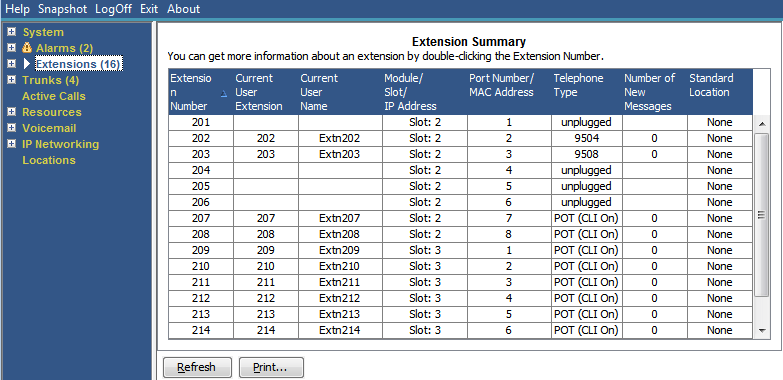
Extension Summary
The Extension Summary screen displays all extensions in the system. For detailed information about an extension, double-click a specific extension number to display the Extension Status screen.
Buttons
The following buttons can appear on this screen:
|
Buttons
|
Description
|
|---|---|
|
Refresh
|
Updates the screen. This button appears on screens that do not update automatically.
|
|
Print...
|
Prints all information available in the current screen (including any information currently scrolled off).
|