

AVAYA DOCUMENTATION CENTER
Find answers to your technical questions and learn how to use our products
Using IP Office System Status
Mailboxes
Path:
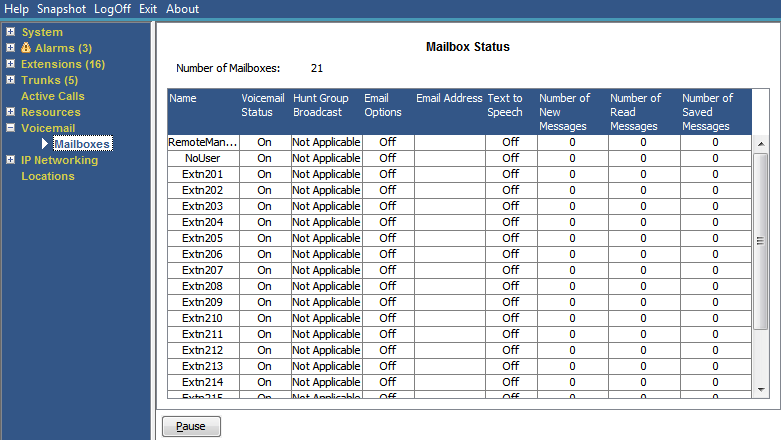
This screen displays details of the voicemail mailboxes on the voicemail server. It includes the number of messages and the status of basic voicemail settings for the associated mailbox user or hunt group.
Buttons
The following buttons can appear on this screen:
|
Button
|
Description
|
|---|---|
|
Pause
|
Stops the screen from updating. The button label and function changes to Resume when the screen is paused.
|
|
Resume
|
Resumes updating screen in real time. When pressed, the button label and function changes to Pause.
|