You can use System Status to view previously saved snapshots. While viewing a snapshot, the Properties and Close menu options replace Snapshot and LogOff. The Properties option shows who took the snapshot and when.
Before you begin
Note that when viewing a snapshot, controls relating to live information capture such as Refresh, and controls that alter the system state such as Clear Alarm History, are not available.
Figure: The Snapshot Playback Menu
To open a snapshot
From the Logon menu, click the Offline tab:
Click Select a file....
Locate the saved snapshot SSH or SLO file and click Open to display the file.
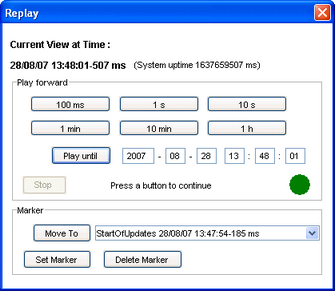
For snapshot log file, the menu bar option Replay displays a menu for controlling the playback of the log file.