

AVAYA DOCUMENTATION CENTER
Find answers to your technical questions and learn how to use our products
Using IP Office System Status
Base Station
Path:
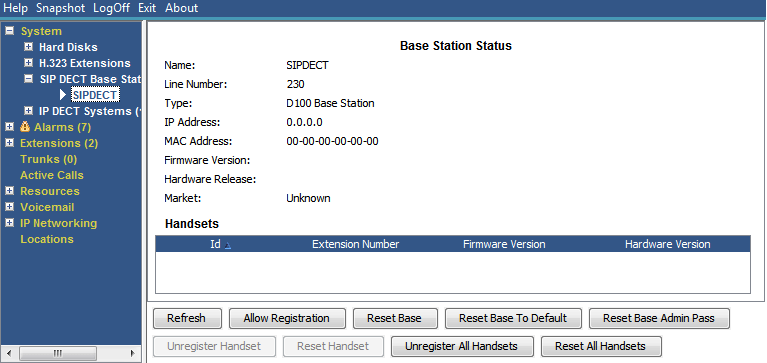
This menu lists information for the select SIP DECT base station.
Buttons
The following buttons can appear on this screen:
|
Button
|
Description
|
|---|---|
|
Allow Registration
|
Allow handset registration on the selected SIP DECT base station.
|
|
Reset Base
|
Reset (reboot) the selected SIP DECT base station.
|
|
Reset Base to Default
|
Reset the selected SIP DECT base station to its factory default settings.
|
|
Reset Base Admin Pass
|
Reset the selected SIP DECT base station's administration password.
|
|
Reset Handset
|
Reset the selected SIP DECT handset.
|
|
Reset All Handsets
|
Reset all handsets registered to the selected SIP DECT base station.
|
|
Unregister Handset
|
Unregister the select SIP DECT handset from the base station.
|
|
Unregister All Handsets
|
Unregister all the handsets from the selected SIP DECT base station.
|