

AVAYA DOCUMENTATION CENTER
Find answers to your technical questions and learn how to use our products
Using IP Office System Status
Utilization Summary
Path:
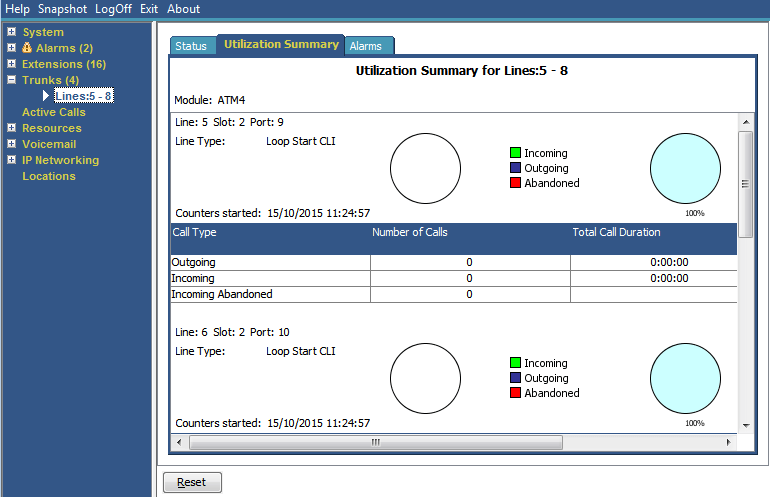
The menu provides a usage history for each trunk. Counts reset either when you click the Reset button or when the system reboots.
|
Name
|
Description
|
|---|---|
|
Module
|
Type of trunk module.
|
|
Line
|
Line ID.
|
|
Line Type
|
See Line Protocols.
|
|
Line Sub Type
|
See Line Protocols.
|
|
Counters Started
|
Date and time the counts began.
|
|
Calls Table
|
Call Type
|
|
Number of Calls
|
Total number of calls by call type.
|
|
Total Call Duration
|
Hours, minutes and seconds format. For outgoing calls, measured from the call start. For incoming calls, measured from call answer.
|
|
Total Ring Time
|
Hours, minutes and seconds format.
|
Buttons
The following buttons can appear on this screen:
|
Button
|
Description
|
|---|---|
|
Reset
|
Resets all utilization counters (number of calls and total duration) for the displayed trunk to 0.
|